Blog

  • Viral Marketing Strategies: 7 Ideas to Grow Your Brand

    Viral Marketing Strategies: 7 Ideas to Grow Your Brand

    Remember that one video everyone seemed to be sharing last week? You probably saw it on Instagram, then TikTok, and eventually someone dropped it into your office group chat. That’s how viral content works. It travels, sometimes faster than the brand behind it can keep up.

    Now, imagine that kind of attention landing on your business.

    Sounds great, right? Except there’s a catch. Plenty of brands spend money creating content, hiring creators, and running social campaigns, only to watch their posts disappear into the endless social media scroll.

    The problem isn’t always the content. Sometimes, it’s the strategy behind it.

    Good viral marketing strategies give people a reason to talk about your brand. They make sharing feel natural rather than something a company has to beg for. And when done right, all that attention can lead to something much more valuable than likes: actual customers.

    Let’s get into what works.

    What Is Viral Marketing, Really?

    Viral marketing is pretty much digital word-of-mouth on a much bigger scale. A brand creates something people want to share, and those shares introduce it to new audiences.

    It could be a hilarious video, an unexpected product launch, a clever challenge, or even a customer story that strikes a nerve.

    The ALS Ice Bucket Challenge is a classic example. People poured buckets of ice water over themselves, challenged their friends, and posted the videos online. It was simple, a little ridiculous, and incredibly effective. The campaign raised more than $115 million for the ALS Association in 2014.

    Notice something? People weren’t sharing traditional advertisements. They were participating in an experience.

    That’s the part brands need to understand.

    7 Viral Marketing Strategies Worth Trying

    1. Make Something People Would Actually Send to Their Friends

    Let’s be honest. Nobody is forwarding a beautifully designed promotional graphic just because your logo looks good.

    People share content because it makes them laugh, reminds them of someone, teaches them something, or gives them a reason to join a conversation.

    A food delivery brand, for example, could create a video about the five stages of waiting for your food delivery. A SaaS company could poke fun at the 47 browser tabs every office employee has open.

    These aren’t complicated ideas. They’re familiar situations presented in an entertaining way.

    Try creating:

    • Relatable workplace or everyday-life videos.
    • Funny customer situations.
    • Unexpected product demonstrations.
    • Quick tips people will want to save.
    • Opinions that encourage healthy debate.

    Before publishing, ask yourself one thing: Would someone share this even if my brand name wasn’t attached to it?

    If the answer is yes, you’re probably onto something.

    1. Stop Jumping on Every Trend You See

    A trending audio clip appears. Your social media manager spots it. Suddenly, everyone wants a version of it by lunchtime.

    We’ve all seen this happen.

    Trends can absolutely help brands reach new audiences, but copying something simply because it’s popular can backfire. Sprout Social’s 2025 research found that 93% of consumers believe brands should keep up with online culture. At the same time, a third find it embarrassing when brands jump on viral trends.

    That’s quite a contradiction, isn’t it?

    The solution is to pick trends that make sense for your audience. A cybersecurity company could use a trending meme to explain common online scams. A clothing brand could recreate a popular video format to showcase styling ideas.

    Same trend. Different execution. Much better relevance.

    Keep an eye on TikTok, Instagram Reels, Reddit discussions, and emerging internet conversations. But don’t turn your brand account into a collection of trends with no connection to what you actually sell.

    1. Bring Smaller Creators Into the Picture

    Here’s something worth considering before spending a fortune on a celebrity endorsement.

    A creator with 15,000 highly engaged followers might bring more relevant customers to your business than someone with two million followers who barely connects with their audience.

    Micro-influencers often build communities around specific interests. Think fitness coaches, home decor enthusiasts, skincare creators, tech reviewers, or personal finance educators.

    For example, a home improvement brand could work with five DIY creators. Each creator could demonstrate the same product in a different setting, giving the campaign several creative angles.

    Don’t hand everyone an identical script, though. People follow creators because they like their personalities. Let them sound like themselves.

    Track referral clicks, discount code usage, engagement, and conversions. Follower count alone won’t tell you whether the partnership was worth the money.

    1. Give Your Audience a Reason to Join In

    People enjoy watching entertaining content. But they also like being part of it.

    That’s why challenges, contests, branded hashtags, and user-generated content can work so well.

    Think about a coffee brand asking customers to share their weirdest coffee combinations. Some will post seriously. Others will come up with something absolutely questionable. Either way, the brand gets people talking.

    You could also try:

    • A 7-day customer challenge.
    • A before-and-after photo contest.
    • A funny branded hashtag.
    • A community voting campaign.
    • A customer transformation series.

    The important part is keeping participation simple.

    Don’t ask people to create a full documentary about using your product. A short video, photo, or comment should be enough to get involved.

    1. Tell Stories That Don’t Feel Like Advertisements

    People don’t necessarily want another brand telling them how amazing its products are.

    They want something interesting to watch.

    Take a small business that started in someone’s garage. Instead of posting another graphic about product quality, it could share the actual journey: the first failed launch, the terrible packaging decisions, the first big customer order, and everything in between.

    That story gives people something to connect with.

    Humor, nostalgia, surprise, and emotional storytelling can all encourage sharing. But there’s no need to manufacture a dramatic backstory for every product. Sometimes, a genuinely funny customer interaction is enough.

    Make the audience feel something. Don’t spend the entire video trying to sell something.

    1. Make Sharing Worth the Effort

    Sometimes, the problem isn’t your content. It’s what happens after someone likes it.

    Referral marketing is one of the more practical viral marketing tactics because it gives customers a reason to introduce other people to your business.

    Dropbox famously used this approach by offering additional storage to users who referred friends. The invited users received extra storage, too. Both sides benefited.

    Could your business do something similar?

    A subscription service could offer account credits for successful referrals. An e-commerce store could give customers a discount when their friends make a purchase. A software company could offer additional features or usage credits.

    Keep the reward relevant to your product. And make the referral process ridiculously easy.

    Nobody wants to fill out a lengthy form just to recommend a brand to a friend.

    1. Don’t Let Viral Traffic Walk Away

    Here’s where the business side of viral marketing comes in.

    Imagine your video gets 800,000 views. Your notifications are going crazy, your follower count jumps, and everyone in the office is celebrating.

    Then you check your sales dashboard. Nothing much happened.

    This is what happens when brands focus on visibility but forget about conversion. Attention is useful, but it needs somewhere to go.

    Build a simple customer journey around your campaign:

    Social media content → Relevant landing page → Lead capture or product discovery → Follow-up → Conversion

    Use UTM parameters to identify campaign traffic in Google Analytics 4. Set up conversion events, monitor landing-page behavior, and use retargeting to reconnect with interested visitors.

    Don’t make people hunt for your product after watching your video. Give them a clear next step.

    How Do You Know If Your Viral Marketing Strategy Is Working?

    Views are exciting. But they don’t tell the whole story.

    A campaign with 100,000 views and a steady stream of qualified leads may be doing a much better job than one with five million views and no meaningful business results.

    Keep an eye on these metrics:

    MetricWhat to Look For
    Share rateAre people passing your content along?
    Engagement rateAre people commenting, saving, and interacting?
    Referral trafficAre shares bringing visitors to your website?
    Conversion rateAre visitors becoming leads or customers?
    Customer acquisition costHow much does acquiring a customer cost?
    Campaign ROIIs the campaign generating a worthwhile return?

    Set your KPIs before launching. Otherwise, it’s easy to end up celebrating a number that doesn’t actually matter to your business.

    A Few Viral Marketing Mistakes That Can Cost You

    Not every campaign will take off. That’s normal. But some mistakes make failure much more likely.

    • Forcing trends: If a trend has nothing to do with your brand, leave it alone.
    • Ignoring your audience: A campaign designed for Gen Z may not work for a B2B audience. Know who you’re speaking to.
    • Making everything promotional: People don’t want every interaction to end with a sales pitch.
    • Buying engagement: Fake followers won’t become loyal customers. Shocking, we know.
    • Ignoring the aftermath: If your campaign gets attention, be ready to respond to comments, messages, and customer inquiries.
    • Measuring only views: Reach is one part of the picture, not the final result.

    Make Your Brand Worth Talking About With Xparro

    You don’t need a celebrity endorsement, a massive advertising budget, or a million-dollar production team to create a campaign people remember.

    You need a good understanding of your audience, an idea worth sharing, and a strategy that connects attention to business results.

    At Xparro, we combine creative content, social media marketing, influencer partnerships, and performance-driven campaigns to help brands get noticed for the right reasons.

    Because going viral is fun. Turning that attention into brand recognition, qualified leads, and paying customers? That’s where the real win is.

    Ready to give people something worth talking about? Let’s build your next campaign with Xparro.
  • Local Search Optimization: Tips to Boost Online Visibility

    Local Search Optimization: Tips to Boost Online Visibility

    Imagine running a pretty decent pizza place in Brooklyn. Your food is good, your prices aren’t ridiculous, and people who visit seem happy enough to come back.

    But there’s a problem. Someone three blocks away searches for “best pizza near me” and finds four other restaurants before they find yours. One of them has hundreds of reviews. Another has beautiful food photos. The third has a Google listing that actually looks alive.

    And you? You’re somewhere on page two.

    That’s why local search optimization deserves more attention. It helps businesses show up when people nearby are looking for the exact products or services they offer. And these aren’t random visitors killing time online. Many of them are looking to spend money.

    Your Next Customer Might Already Be Searching for You

    People don’t always plan their purchases days in advance. Sometimes they need a plumber because the kitchen sink has decided to flood. Sometimes they want a haircut before the weekend. And sometimes they’re simply hungry and unwilling to drive across town for a decent burger.

    They search. They compare a few options. They make a choice.

    BrightLocal’s 2026 Consumer Search Behavior research found that 84% of US consumers had searched online for a local business in the previous three months. It also reported that 73% started their most recent local business search on a mobile device.

    That’s a pretty big audience to ignore.

    The same research found that 75% of consumers make their local business decision within 30 minutes. So, while you’re busy wondering whether your website needs a redesign, someone nearby could already be choosing between you and your competitor.

    Local SEO puts you in that conversation. Whether customers find you through Google Maps, organic search results, or other discovery platforms, your online presence needs to give them enough confidence to take the next step.

    7 Things Your Business Should Be Doing to Improve Local Search Visibility

    1. Give Your Google Business Profile Some Attention.

    When was the last time you opened your Google Business Profile and checked what customers actually see?

    Not when you created it. Not when you uploaded your logo. Today.

    Your profile might be showing an old phone number, incorrect business hours, or photos that look like they were taken on a flip phone. Meanwhile, your competitor has recent pictures, detailed services, and customer reviews coming in every week.

    A little maintenance can go a long way.

    Start with your primary business category. A roofing contractor shouldn’t simply choose “contractor” if a more specific category accurately describes the business. Add relevant secondary categories, too.

    Then check your description, services, contact information, opening hours, and website link. Upload genuine photos. If you have seasonal hours, update those before customers turn up to a locked door.

    Google looks at relevance, distance, and prominence when deciding which local businesses to show. Distance isn’t something you can change. The relevance and prominence of your business are areas where you can put in the work.

    1. Your Business Has One Identity. Your Listings Should Reflect That.

    Here’s a small problem that can become surprisingly annoying.

    Your website lists your business as ABC Plumbing LLC. Your Yelp profile says ABC Plumbing Services. An old directory has a phone number you stopped using last summer.

    A customer finds all three. Which one should they trust?

    This is why NAP consistency matters. NAP stands for Name, Address, and Phone Number. Your important business listings should contain accurate, matching information.

    Go through Google, Yelp, Bing Places, Apple Business Connect, and relevant industry directories. Check the details rather than assuming everything is correct.

    Did you move offices? Change your phone number? Update your business name? Make sure those changes reach your online listings, too.

    And no, you don’t need to spend your entire afternoon submitting your business to 150 random directories. A few relevant, trustworthy listings are a much better starting point.

    1. Stop Chasing Broad Keywords That Don’t Bring You Customers

    Let’s take two searches:

    “Electrician”

    “Emergency electrician in Dallas”

    The first could come from someone researching electrical work, studying for an exam, or looking for a job. The second gives you a much clearer idea of what the person needs.

    That’s the difference between broad search traffic and location-specific buying intent.

    Your keyword research should reflect the way people actually look for services. Try combinations such as:

    • Service and city: HVAC repair in Phoenix.
    • Service and neighborhood: Dentist in Downtown Chicago.
    • Urgent requirement: 24-hour plumber in Austin.
    • Commercial intent: Affordable roofing contractor in Tampa.
    • Specific service: Water heater installation in Denver.

    Google Keyword Planner, Semrush, and Google Search Console can help you find search terms worth targeting.

    Pay attention to search intent, too. Someone looking for “how much does roof replacement cost in Florida” might not be ready to book today, but they could become a customer after understanding their options.

    You can create content for both types of searches. Just don’t cram location names into every sentence. Nobody wants to read a page that sounds like a GPS having a breakdown.

    1. One Location Page Isn’t Enough When You Serve Multiple Areas

    A business operating across several cities needs to explain that clearly.

    Take a roofing company serving Tampa, Clearwater, and St. Petersburg. If its website has one generic roofing page, visitors from those different areas might struggle to find relevant service information.

    Dedicated location pages can help. But there’s a catch.

    Changing “Tampa” to “Clearwater” in the same paragraph and publishing another page isn’t going to impress anyone.

    Give each location page something worth reading. Mention the services available in that area, include genuine project examples, add relevant testimonials, and explain how customers can get in touch.

    A Florida roofing company, for instance, could discuss roof inspections after severe weather, the types of roofing materials it offers, and relevant local building requirements.

    Don’t invent local projects or pretend to have an office in a city where you don’t operate. Be honest about your service areas.

    A useful location page should answer the questions someone in that area would actually have. If it does that, it’s already doing more than a page stuffed with city names.

    1. A Five-Star Rating Is Nice. Recent, Genuine Reviews Are Better.

    Imagine you’re looking for a dentist. One clinic has a handful of reviews from three years ago. Another has recent feedback from patients talking about the staff, appointment experience, and quality of care.

    Which one would you investigate first?

    Reviews give potential customers a glimpse of what dealing with your business might actually be like. They can also help your business build online prominence.

    You don’t have to make the process complicated. After completing a project or serving a customer, send a polite follow-up with a direct link to your review page.

    Then actually respond to the reviews.

    Thank people for positive feedback. If someone complains, resist the temptation to write a five-paragraph defence of your business. Acknowledge the concern, respond professionally, and offer to resolve the issue privately where appropriate.

    And please, don’t buy reviews. A suspicious collection of perfect ratings can do more harm than good.

    1. Don’t Make People Work to Contact You

    Getting your website onto the first page of Google is great. Getting visitors to leave because they can’t find your phone number? Not so great.

    This happens more often than businesses realise.

    A customer visits your website on their phone. The page takes forever to load. They try to find your services, but the navigation is confusing. Eventually, they give up and open another search result.

    You’ve just lost a potential enquiry.

    Check your mobile experience. Your phone number should be easy to tap. Your contact form shouldn’t ask for information you don’t need. Your service pages should explain what you offer without making visitors dig through five different sections.

    There’s some technical housekeeping to do here, too.

    Use responsive layouts, compress oversized images, maintain HTTPS, and monitor page performance. You should also implement LocalBusiness schema markup to help search engines understand your business details.

    Schema can describe information such as your business name, address, telephone number, opening hours, and business type. Google provides documentation for implementing this structured data, and you can validate it using its Rich Results Test.

    Just don’t expect schema markup to magically push your website to the top of Google. It’s one part of a much larger SEO effort.

    1. People Are Discovering Businesses Outside Google, Too

    Google is important. Nobody’s arguing with that.

    But customers don’t necessarily stick to one platform when researching a business. They might find a restaurant through Instagram, check its reviews on Yelp, and then search for directions on Google Maps.

    AI-powered search tools are becoming another part of that discovery process.

    This means your local presence shouldn’t depend entirely on one platform. Keep your social profiles active, share genuine examples of your work, and make sure your business information is easy to understand wherever customers find you.

    For instance, a home renovation company could share before-and-after photos, explain common renovation mistakes, and answer questions about project costs. A restaurant could post its latest menu, introduce its chef, or show what a busy Friday night looks like.

    It’s not about posting three times a day just to stay visible. It’s about giving people useful reasons to remember your business.

    Is Your Local SEO Actually Bringing in Customers?

    Let’s get one thing straight. A higher Google ranking is not the same as a successful SEO campaign.

    You could rank for several local keywords and still receive very few enquiries. That’s why looking at rankings alone doesn’t tell you the whole story.

    Keep an eye on these metrics:

    What to TrackWhy It Matters
    Google Business Profile viewsShows how often people discover your profile
    Calls and direction requestsIndicates whether people are taking action
    Local keyword rankingsHelps measure location-based search visibility
    Organic trafficShows how many people reach your website through search
    Form submissionsTracks incoming business enquiries
    Conversion rateShows how effectively visitors become leads

    Google Business Profile Performance, Search Console, and Google Analytics 4 are useful tools for monitoring these numbers.

    Also, look at what happens after someone visits your website. Are they calling? Filling out a form? Booking an appointment?

    If traffic is increasing but enquiries aren’t, don’t immediately assume you need more backlinks or another round of keyword optimization. The problem might be your website, your offer, your reviews, or simply how difficult you’ve made it for people to contact you.

    Fix the actual problem.

    Good Local SEO Should Do More Than Make Your Business Look Popular

    Having a business that ranks on Google is nice. Having a business that gets enquiries from people who are actually looking for your services is much better.

    That’s what local search optimization should work towards.

    You don’t need to appear in every city across the country. You need to become easier to find in the places where you genuinely do business. Get your listings right, build useful location pages, encourage honest reviews, and make sure your website gives visitors a clear next step.

    And don’t treat local SEO as a one-week project. Search visibility takes consistent work, regular updates, and a willingness to fix things when they’re not working.

    At Xparro, we help businesses build SEO strategies around visibility, relevant traffic, and real growth. If your competitors are getting discovered by customers in your service area while your business is being overlooked, it might be time to change that.

    Let’s get your business noticed for the right reasons.

  • Outsource SEO Services: Benefits and Key Strategies

    Outsource SEO Services: Benefits and Key Strategies

    You’ve spent money on SEO. There are blogs on your website, keywords in your content, and probably a few reports showing how your rankings have moved. But the leads? Not quite where you expected them to be. So, what’s missing?

    It could be your SEO strategy. It could be a technical issue nobody has bothered to fix. Or maybe your marketing team simply doesn’t have enough hands to manage everything.

    This is where outsource SEO services become worth considering. Instead of trying to do everything internally, you bring in people who know what they’re doing. No lengthy recruitment process. No need to build an entire department.

    Of course, outsourcing SEO isn’t magic. Pick the wrong agency, and you’ll just have another monthly invoice to worry about.

    Let’s talk about how to get it right.

    Key Takeaways

    • Outsourcing SEO lets you bring in people who know the work without going through the headache of hiring an entire team.
    • You don’t have to hand over everything. Get help with the SEO tasks your team can’t keep up with or doesn’t have the expertise to handle.
    • Not every SEO agency is worth your money, so take a good look at its past work, approach, and the results it has delivered.
    • Better rankings are nice, but what really matters is whether your SEO efforts bring the right people to your website and turn them into customers.

    What Is SEO Outsourcing?

    SEO outsourcing is pretty straightforward. You hire an external agency, consultant, or specialist to manage your website’s SEO activities. That’s it.

    You don’t necessarily hand over your entire marketing operation. You can outsource just the areas where your team needs help.

    For instance, your content team might be perfectly capable of writing blogs but have no idea how to deal with indexing issues, crawl errors, or a messy backlink profile. Instead of hiring a full-time technical SEO specialist, you can bring in an external team.

    Commonly outsourced SEO tasks include:

    • Keyword research and competitor analysis.
    • Technical SEO audits and implementation.
    • On-page optimization and content updates.
    • SEO blog writing and content strategy.
    • Link building and digital PR.
    • Local SEO and Google Business Profile management.
    • Organic traffic and conversion tracking.

    You get the expertise you need without having to manage every role internally.

    Why Are Businesses Choosing to Outsource SEO?

    Here’s something worth considering: SEO isn’t one person’s job anymore.

    A website could have excellent content and still struggle because of poor site architecture. It might have a technically sound foundation but barely any authoritative backlinks. Fixing one problem doesn’t necessarily fix the others.

    And expecting a small marketing team to handle all of this? That’s a lot to ask.

    There are a few reasons businesses turn to external SEO teams.

    1. You Need Specialists, Not Someone Who Does a Little Bit of Everything

    There’s a difference between knowing basic SEO and knowing how to run an actual campaign.

    Technical SEO involves crawling, indexing, JavaScript rendering, structured data, and Core Web Vitals. Content SEO deals with search intent, keyword mapping, topical authority, and internal linking. Off-page SEO has its own challenges.

    One person might be good at two or three of these things. Finding someone who can handle everything exceptionally well is another story.

    Outsourcing gives you access to specialists without hiring them all individually.

    1. Hiring an SEO Team Can Get Expensive

    An in-house team sounds great until you start calculating the costs.

    You’ve got salaries, recruitment, employee benefits, training, and SEO software subscriptions. Tools like Ahrefs, Semrush, and Screaming Frog add to the bill.

    And that’s before you’ve even started implementing the strategy.

    With SEO outsourcing, you can choose the level of support you need. Maybe that’s complete campaign management. Maybe it’s just technical SEO or link building.

    Either way, you have more control over where the money goes.

    1. Your Team Has Other Things to Do

    Your marketing team already has campaigns to launch, landing pages to improve, social media calendars to manage, and about 15 other things happening at once.

    Adding an entire SEO operation to that list isn’t always sensible.

    An external team can take care of the specialized work while your internal employees focus on their existing responsibilities.

    It’s not about replacing your team. It’s about giving them some breathing room.

    Which SEO Services Should You Outsource?

    This depends entirely on what’s happening with your website. Don’t buy a complete SEO package just because an agency offers one.

    Here’s where external support can make a real difference.

    Technical SEO

    Sometimes, your website has good content but search engines aren’t accessing it properly. That’s a technical problem, not a content problem.

    An SEO specialist can investigate:

    • Crawlability and indexability issues.
    • XML sitemaps and robots.txt.
    • Duplicate URLs and canonical tags.
    • Core Web Vitals and page speed.
    • Schema markup and structured data.
    • Redirect chains and broken links.

    For ecommerce websites and large SaaS platforms, these issues can become particularly difficult to manage internally.

    On-Page SEO

    You might already have a page targeting an important keyword. But does it actually answer what people are searching for?

    That’s where on-page optimization comes in.

    An outsourced team can improve title tags, meta descriptions, headings, internal links, content structure, and keyword placement.

    Take a company selling accounting software in the U.S. It wants to rank for “accounting software for small businesses.”

    Simply repeating that phrase throughout the homepage won’t do much. The business needs a useful page that matches the search intent and gives visitors a reason to explore the product.

    SEO Content Writing

    Let’s be honest. Nobody needs another blog that repeats the same five points found in every competing article.

    Good SEO content needs research, a clear angle, useful information, and an understanding of what the reader actually wants.

    An outsourced content team can handle keyword research, competitor analysis, content briefs, blog writing, topic clusters, and updating older articles.

    The focus should be on creating content that attracts the right visitors, not just filling up your website’s blog section.

    Link Building

    Getting backlinks is one thing. Getting useful backlinks is another.

    An external team can identify relevant websites, conduct outreach, support digital PR campaigns, and find opportunities to earn editorial links.

    Be careful with agencies selling hundreds of backlinks as part of a monthly package. A large backlink count doesn’t automatically translate into better rankings.

    Relevance and quality matter.

    Local SEO

    If your business serves customers in particular U.S. cities, local SEO shouldn’t be an afterthought.

    An agency can help optimize your Google Business Profile, build location-specific landing pages, manage local citations, and monitor local keyword rankings.

    For businesses such as law firms, contractors, real estate agencies, and healthcare providers, this can be particularly valuable.

    How to Outsource SEO Without Regretting It Later

    Finding an agency is easy. Finding one that won’t leave you wondering where your monthly budget went is the real challenge.

    Before choosing a provider, take a closer look at these things.

    1. Figure Out What’s Wrong With Your Current SEO

    Don’t walk into an agency meeting saying, “We need better rankings.”

    What does that actually mean?

    Are important pages missing from Google’s index? Is organic traffic declining? Are competitors getting more backlinks? Are visitors landing on your website but leaving without converting?

    The more clearly you understand the problem, the easier it becomes to find the right specialist.

    1. Ask Them to Show Their Work

    Every agency has a nice-looking website. Most will also tell you they’re results-driven.

    Ask for proof.

    Look at their case studies, previous campaigns, technical audit samples, and experience with businesses similar to yours.

    More importantly, ask what they actually did to achieve those results. A ranking screenshot without context doesn’t tell you much.

    1. Get the Deliverables Straight

    Never assume that two agencies offering SEO management are providing the same service.

    One might include technical fixes, content optimization, and link building. Another might send you a keyword report and a few blog posts.

    Ask for a clear breakdown of the work, timelines, responsibilities, and reporting process.

    1. Look Beyond Keyword Rankings

    Ranking first for a keyword is exciting. But if nobody clicks the result or converts after visiting your website, what have you really gained?

    Track organic sessions, search impressions, click-through rates, referring domains, and organic conversions.

    Use Google Search Console and Google Analytics 4 to understand whether your SEO campaign is contributing to actual business growth.

    1. Make Sure You Can Communicate With Them

    You shouldn’t have to send five emails just to find out what happened to your website that month.

    Agree on reporting schedules, campaign reviews, and communication channels before signing the contract.

    Also, keep ownership of your website, analytics accounts, and Google Search Console. Your SEO agency should have access to your business assets, not ownership of them.

    SEO Agency, Freelancer, or In-House Team?

    Still deciding how to outsource SEO? Here’s the short version.

    OptionMakes sense whenThe catch
    SEO agencyYou need multiple SEO servicesUsually costs more
    FreelancerYou need help with specific tasksLimited capacity
    In-house teamSEO needs daily attentionHiring and operating costs

    A growing business that needs technical SEO, content, and link building might benefit from an agency. A smaller company that only needs keyword research or occasional content optimization could work with a freelancer.

    And if SEO is a major part of your business operations, an internal team might be worth building. There’s no prize for choosing the most expensive option. Choose what actually solves your problem.

    Watch Out for These SEO Outsourcing Red Flags

    A few things should make you pause before signing an agreement:

    • Guaranteed rankings: No agency can control Google’s algorithm.
    • Massive backlink promises: More links don’t automatically mean better links.
    • Unusually cheap packages: Find out how the work is actually being delivered.
    • Vague reporting: You deserve to know where your money is going.
    • Identical strategies for every client: Your business isn’t your competitor’s business.

    If an agency promises to put you on Google’s first page in 30 days, ask how. And pay close attention to the answer.

    Looking for an SEO Partner? Let’s Talk.

    You don’t need to spend your entire marketing budget building an SEO department. But you do need people who understand what your website needs and know how to get the work done.

    At Xparro, we help businesses improve their organic visibility through technical SEO, content strategy, on-page optimization, and link building.

    Whether you’re starting from scratch or trying to fix an SEO campaign that hasn’t delivered, we’ll help you figure out where to focus.

    Let’s get your website the attention it deserves. Talk to Xparro about outsourcing your SEO.

    FAQs

    What does it mean to outsource SEO?

    It means hiring an external agency or specialist to handle your website’s SEO instead of managing everything in-house.

    How much do SEO outsourcing services cost?

    It depends on the work involved, your website, and the agency you choose. Some charge monthly, while others offer project-based pricing.

    Is outsourcing SEO worth it?

    If your team lacks the time or expertise to manage SEO, absolutely. You get specialist support without hiring an entire department.

  • Latest Instagram Trends in November 2026 to Try

    Latest Instagram Trends in November 2026 to Try

    November has arrived, and Instagram is about to get very busy. People are suddenly obsessed with Christmas shopping, Thanksgiving recipes, cozy sweaters and finding the perfect gift for someone who probably hasn’t even started their shopping list.

    And somewhere between all that, brands are fighting for a little space on everyone’s feed.

    Let’s be honest. Nobody opens Instagram hoping to see another business post saying, “Our latest collection is here. Shop now!” We’ve seen it. We’ve scrolled past it. We’ve probably forgotten it five seconds later.

    What actually makes us stop scrolling? A funny Reel, an oddly satisfying transition, a relatable situation or something that makes us send the video to three friends immediately.

    That’s exactly why keeping an eye on Instagram trends matters. Not because every brand needs to jump on every viral sound, but because these little internet moments can give businesses some genuinely good content ideas.

    So, grab your coffee. Here’s what’s worth watching on Instagram this November and how brands can make the most of it without looking like they’re desperately trying to go viral.

    1.Small Text, Big Feelings: Wait, What Does That Say?

    You know those Reels where you notice a tiny sentence somewhere on the screen and immediately zoom in because your curiosity simply won’t let you move on?

    That’s the Small Text trend.

    The idea is pretty straightforward. A creator adds a tiny message to a video, almost hiding it in plain sight. Viewers have to zoom in to read it. Sometimes it’s a funny confession, sometimes it’s a brutally honest observation, and sometimes it’s just something surprisingly sweet.

    It’s a small trick, but it gives people a reason to interact with the video instead of mindlessly scrolling.

    Now, here’s where businesses can have fun with it.

    Imagine a coffee shop posting a beautiful video of its latest latte. Somewhere in the corner, there’s tiny text saying, “You said one coffee. This is your fourth.”

    A clothing brand could hide a little message saying, “You don’t need another black outfit. But we both know you’re buying it.”

    See what happened there? The brand promoted something without making the entire video feel like an advertisement.

    That’s the sweet spot. Give people something to smile about, and let the product fit naturally into the conversation.

    2.The Recharged Trend: Because Some of Us Are Running on 1%

    If your energy levels have been sitting at 1% since Monday, congratulations. You’re probably the target audience for this trend.

    The Recharged format starts with a battery percentage at 1% and transitions to 100%. The second clip shows whatever brings the creator back to life. It could be a holiday, a favourite meal, a new outfit, a workout or simply getting out of bed after a very long weekend.

    It’s relatable, easy to recreate and doesn’t require an entire film crew.

    How can brands jump in?

    Think about what your product or service helps people feel, experience or achieve.

    A travel company could show someone going from a completely exhausted office worker to a relaxed beach holiday. A beauty brand could use the transition to reveal a fresh makeover. A gym could show the difference between dragging yourself into a workout and walking out feeling like you could conquer the world.

    And if you’re a small business, don’t overthink it. Even a simple before-and-after video can work.

    Just make sure the transformation actually connects to your brand. Nobody needs to see a random battery animation followed by your company logo. Give us a reason to care!

    3.Toggle On: Something’s Coming. Should We Be Excited?


    There’s something oddly satisfying about flipping a switch. And apparently, Instagram agrees.

    The Toggle On trend uses a simple on/off switch to introduce something new. One moment, the screen is switched off. The next, something appears, whether it’s a new product, an outfit, an announcement or a completely different visual.

    It’s a fun way to build anticipation without revealing everything immediately.

    Marketing opportunity? Oh, absolutely.

    November is packed with launches, promotions and holiday campaigns. Brands can use this format to tease a new collection, announce a Black Friday offer or introduce a seasonal menu.

    Picture a restaurant switching on its screen to reveal its Thanksgiving specials. Or a fashion brand showing its winter collection one outfit at a time.

    You don’t even need to reveal the entire offer. A little suspense can make people curious enough to visit your profile for the announcement.

    Just don’t leave them waiting forever. Instagram is full of distractions, and your audience has approximately seventeen other Reels to watch.

    4.Vlog Timestamps: A Day in the Life, Minus the Hollywood Production


    Not every creator has the time, energy or patience to produce a perfectly edited day-in-my-life video.

    Thankfully, they don’t have to.

    The Vlog Timestamps trend is all about showing little moments throughout the day, with timestamps telling viewers what’s happening and when.

    8:00 AM – Coffee.

    9:30 AM – Pretending to understand emails.

    12:00 PM – Lunch.

    3:00 PM – Wondering why it’s still only Tuesday.

    You get the idea.

    It’s casual, personal and doesn’t require a complicated storyline. That’s probably why the format works so well for everyday content.

    What about brands?

    This is one of those trends that businesses should seriously consider.

    A bakery could show what happens before the first customer walks in. A marketing agency could document a day filled with brainstorming, client calls and last-minute revisions. A small business could show the process of packing and shipping orders.

    People love seeing what happens behind the scenes. And honestly, it’s a refreshing break from the endless stream of perfectly staged product photos.

    Your business doesn’t have to look perfect every second. Sometimes, showing the actual people doing the work is much more interesting.

    5.November Rain: The Internet’s Annual Dramatic Comeback


    Every November, there’s one song that seems to find its way back into everyone’s playlist.

    No, it’s not a new release. It’s Guns N’ Roses’ November Rain.

    The dramatic guitar solo, the cinematic feel and the nostalgia make it an easy choice for creators putting together travel montages, memories and aesthetic edits.

    And yes, it’s exactly as dramatic as it sounds.

    Can brands use it?

    Definitely, especially if their content has a story to tell.

    A real estate company could create a cinematic property walkthrough. A travel brand could put together a montage of its most beautiful destinations. Even a fashion business could use the song to showcase its latest collection.

    You could also use it for a little year-end nostalgia. Think favourite customer moments, company milestones, team memories and everything that made 2026 memorable.

    Just remember to check the music licensing restrictions before using popular tracks on a commercial account. Not every viral sound is cleared for business use.

    6.Christmas Music Is Back. Already.

    Halloween barely had time to pack its bags, and Christmas music is already knocking on the door.

    You know what comes next. Mariah Carey, festive decorations, gift guides and an alarming number of people putting up Christmas trees before Thanksgiving.

    November is when holiday content really starts finding its way onto Instagram. Creators are sharing decorating ideas, shopping recommendations, seasonal outfits and everything that makes this time of year feel a little more exciting.

    And businesses? Well, this is their cue to get moving.

    A few ideas worth trying:

    A beauty salon could use a festive audio track to remind people to book their December appointments.

    A clothing store could create a Reel featuring outfits for Thanksgiving dinners and holiday parties.

    A restaurant could show its seasonal menu or give viewers a peek at its holiday decorations.

    A home decor business could film a Christmas tree transformation.

    And please, don’t just put a Christmas filter over your logo and call it a campaign. Your audience deserves a little more creativity than that.

    7.The Fall Wishlist: Adding Things to Our Cart Is a Personality Trait

    Some people make grocery lists. Others make wishlists featuring clothes they don’t need, candles they definitely don’t need and home decor that will somehow end up in their shopping cart.

    The Fall Wishlist trend brings all those little wants together.

    Creators share their seasonal favourites through short videos, photo dumps and aesthetically arranged collections. Think autumn outfits, books, coffee flavours, home accessories and weekend plans.

    It’s essentially Pinterest inspiration meeting Instagram Reels.

    Here’s the marketing angle.

    Brands can use this format to introduce products without making the content feel like a sales catalogue.

    A bookstore could share five books worth reading before the year ends. A fashion boutique could put together its November wardrobe wishlist. A coffee shop could showcase its favourite seasonal drinks.

    And don’t forget about the price-conscious shopper. Affordable recommendations and useful product suggestions can make your wishlist much more appealing.

    The goal isn’t to convince people to buy everything. It’s to give them something worth saving for later.

    8.Thanksgiving Reels: It’s Almost Time to Bring Out the Good Plates

    Thanksgiving is on November 26 this year, which means Instagram is about to become a giant collection of turkey recipes, family dinners, table decorations and people arguing about whether pineapple belongs anywhere near a holiday meal.

    It’s also a great time for businesses to join in.

    But here’s a thought. Do we really need another graphic that says “Happy Thanksgiving” with a stock photo of a pumpkin?

    Probably not.

    Try something a little more interesting.

    Restaurants can show how they prepare their Thanksgiving specials. Food brands can share quick recipes that people can actually recreate. Lifestyle creators can post hosting tips, table-setting ideas and outfit inspiration.

    Businesses can also use this occasion to share customer appreciation stories or introduce the people behind the brand.

    A simple video of employees talking about what they’re grateful for can be far more memorable than a generic holiday post.

    And if you’re a local business, don’t forget to mention your Thanksgiving offers, opening hours or reservation details. Useful information is content, too.

    9.Black Friday Reels: People Want Deals, Not Another Sales Speech

    November 27 is Black Friday, and if there’s one thing we can predict with reasonable confidence, it’s that everyone’s feed will be full of discounts.

    But here’s the problem. Every brand is going to say its deal is the best deal.

    So how do you stand out?

    Stop simply announcing discounts and start showing people what they’re actually getting.

    A skincare brand could demonstrate how to use its best-selling products. A tech retailer could compare two popular gadgets. A clothing store could show three ways to style an item that’s part of its Black Friday sale.

    You could even create a Reel called “Things actually worth buying this Black Friday” and feature a few genuinely useful products.

    Why does this work?

    Because people are looking for help making purchasing decisions, not just another reminder that a sale exists.

    Give them information, show them the product and make the offer clear. That’s a much better way to earn their attention.

    10.Behind-the-Scenes Reels: Your Audience Wants to See the Humans

    Here’s something worth remembering: people follow brands, but they connect with people.

    A perfectly photographed product might catch someone’s eye, but a funny video of the team packing orders, preparing for a launch or dealing with everyday business chaos can make the brand feel much more real.

    Behind-the-scenes content isn’t exactly new, but it continues to be one of the easiest ways for businesses to show their personality.

    And you don’t need to make everything inspirational.

    A marketing agency could post a Reel saying, “The client said it’s just a small revision.”

    Cut to the content team staring at a 47-page document.

    A bakery could show the difference between the beautiful cake on Instagram and the absolute chaos happening in the kitchen.

    A small business owner could document the reality of running a business during the holiday rush.

    These are the kinds of moments people recognise, laugh at and share with others.

    Sometimes, the best brand content doesn’t look like brand content at all.

    How to Use November’s Instagram Trends Without Looking Like Everyone Else

    Now, before you start saving every trending Reel you come across, let’s talk about something important.

    You don’t have to follow every trend.

    Seriously.

    A trend might have millions of views, but if it has absolutely nothing to do with your business, forcing it into your content strategy isn’t going to magically bring you customers.

    Here’s what we’d actually recommend:

    Know when to join in. Trends move quickly. If you spot a format gaining traction, don’t wait three weeks to recreate it. By then, the internet might have moved on to something else.

    Add your own personality. Don’t copy a Reel frame by frame. Give it a twist that makes sense for your brand. That’s what makes your content recognisable.

    Make people feel something. Humour, curiosity, nostalgia and relatability are all useful ways to connect with an audience. Not every post needs to sell something.

    Remember why you’re posting. Are you trying to get more people to discover your business? Encourage website visits? Generate enquiries? Different Reels can serve different purposes.

    Look beyond the views. A video with 100,000 views might look impressive, but a video with 2,000 views and 50 genuine enquiries could be much more valuable to your business. Keep an eye on shares, saves, profile visits and conversions.

    And one last thing. Don’t forget to actually enjoy creating your content. If every Reel feels like a board meeting, your audience might feel it, too.

    Final Thoughts

    November is a pretty exciting month for Instagram. There’s plenty happening, from seasonal content and nostalgic audio to holiday shopping and creative Reel formats.

    But trends aren’t a marketing strategy on their own.

    The real opportunity is finding a way to connect what’s popular with what your audience actually cares about. Maybe that’s a funny behind-the-scenes video, a useful holiday gift guide or a simple Reel showing what makes your business different.

    Experiment a little. Try formats you’ve never used before. Pay attention to what people respond to, and don’t be afraid to abandon an idea that isn’t working.

    And please, for the love of everyone’s Instagram feed, let’s retire the habit of turning every trending audio into a promotional video with a logo slapped at the end.

    Your audience has seen enough of those.

  • Best 10 SEO Companies for Business Growth in USA 2026

    Best 10 SEO Companies for Business Growth in USA 2026

    The trouble with searching for SEO companies is that most businesses don’t need more promises. They need someone to figure out why their website isn’t performing, what needs to change, and where their marketing budget will make the biggest difference.

    Maybe your website gets barely any organic traffic. Perhaps people visit but never enquire. Or your competitors seem to show up everywhere while your business struggles to get noticed.

    Each situation calls for a different approach. And no, hiring the most expensive agency doesn’t automatically solve it.

    We’ve shortlisted 10 SEO companies worth researching in 2026, including what they specialize in and the kind of business that might benefit from working with them.

    Key Takeaways

    • There’s no single best SEO company for every business. It really comes down to what you need, what you can spend, and where you want your business to go.
    • Some SEO agencies focus on local search, while others are better suited to e-commerce, technical SEO, lead generation, or getting your brand noticed in AI search results.
    • Before choosing an agency, look beyond the promises. Check its past work, pricing, reporting, and whether it understands what your business is trying to achieve.
    • The list covers different agencies, including Xparro, so you can compare your options and find one that makes sense for your business.

    The Best Seo Companies at a Glance

    AgencyWhat Makes it Worth Considering
    XparroSEO integrated with content and website strategy
    WebFXRevenue tracking and integrated digital marketing
    SmartSitesSEO, PPC, and website services
    SeoProfyInternational and multilingual SEO
    SearchbloomOrganic search and conversion optimization
    VictoriousSpecialist SEO services
    Ignite VisibilityMulti-channel marketing support
    HigherVisibilityLocal, franchise, and ecommerce SEO
    ThriveBroas digital marketing capabilities
    Straight NorthLead generation

    This isn’t a definitive ranking from best to worst. A business looking for local leads has little reason to choose an enterprise-focused agency simply because its name appears at the top of a list. The useful question is which company fits your needs.

    10 SEO Companies Worth Looking Into

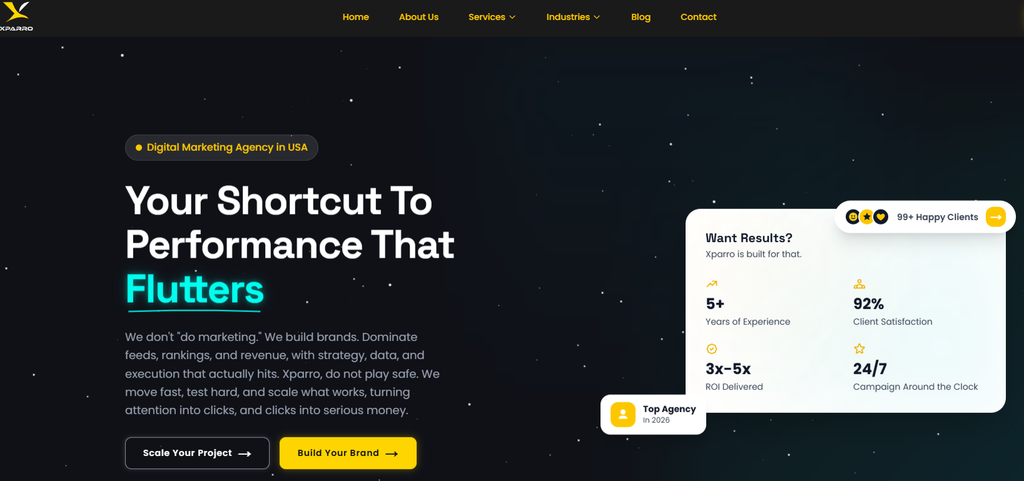
    1. Xparro
    Xparro USA

    For businesses that want SEO to make sense alongside their wider marketing.

    SEO needs to reflect what your audience is searching for, what your competitors are doing, and what happens after someone reaches your website. If those pieces aren’t connected, it’s easy to spend months producing content without making much progress towards your actual business goals.

    Xparro approaches digital marketing with that wider picture in mind. For businesses targeting the US and UK markets, the work can involve aligning SEO with content marketing, website development, search intent, and the customer journey.

    The starting point should be your business, not a ready-made package. Which pages need attention? What are potential customers looking for? Are there useful search opportunities your competitors haven’t addressed? And does your website make it easy for visitors to understand what you offer?

    Those questions help shape a strategy that has a reason behind every activity.

    If you’re looking for an agency to discuss how SEO fits into your broader digital marketing plans, explore Xparro’s services.

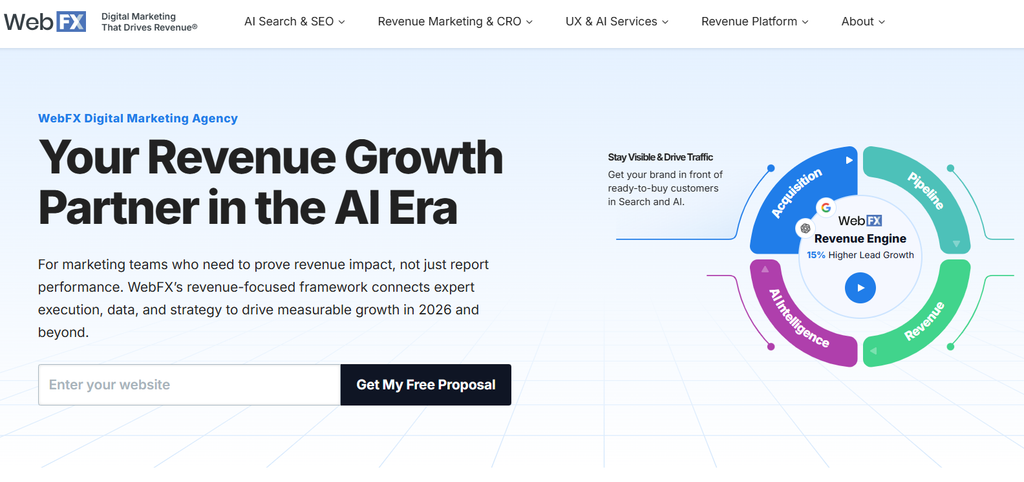
    2. WebFX

    WebFX

    A potential fit for businesses that care about revenue, not just traffic.

    WebFX has been in the digital marketing industry since 1995. Its services cover SEO, content marketing, paid media, web design, and conversion rate optimization.

    One area worth examining is its emphasis on tracking marketing performance through its technology platforms. For a business spending money across several channels, understanding where leads and sales originate can help make future budget decisions.

    Think about it: your organic traffic increases, but your sales remain flat. You don’t need another report celebrating the traffic increase. You need to understand what’s happening between the search result and the sale.

    That’s the kind of question a revenue-focused SEO campaign should help answer.

    3. SmartSites

    SmartSites

    Worth a look if your business needs SEO and paid advertising.

    SmartSites combines SEO with PPC, website design, and other digital marketing services. It works with small and midsized businesses across industries such as healthcare, automotive, legal services, and ecommerce.

    The appeal is fairly straightforward. You can work on long-term organic visibility while paid campaigns help bring in visitors in the meantime.

    But having both services available doesn’t guarantee that they’ll work well together. Ask how the agency decides which keywords belong in organic campaigns, where paid advertising makes more sense, and how the two channels contribute to your goals.

    4. SeoProfy

    SeoProfy

    A stronger candidate for businesses targeting multiple markets.

    SeoProfy offers technical SEO, content optimization, link building, international SEO, and AI search visibility services. Its multilingual experience makes it worth researching if your business plans to reach customers in multiple countries.

    If international growth is on your agenda, ask how the agency approaches local keyword research, content localization, and the technical requirements of multilingual websites.

    5. SearchBloom

    Search Bloom

    For businesses trying to get more out of the traffic they already attract.

    Searchbloom offers SEO, paid search, conversion rate optimization, and website services. That combination makes it relevant to businesses that need to look beyond rankings and examine how their website performs.

    More visitors won’t fix a confusing landing page. That’s worth remembering before increasing your marketing spend.

    6. Victorious

    Victorious

    For businesses that want SEO to receive focused attention.

    Victorious focuses on organic search, with services covering technical SEO, keyword research, content, link building, and answer engine optimization.

    One thing I’d ask before hiring any specialist agency is how its recommendations get implemented. An audit can identify dozens of issues, but those findings won’t improve your website if nobody makes the necessary changes.

    7. Ignite Visibility

    Ignite Visibility

    For brands managing several marketing channels or locations.

    Running marketing campaigns across multiple locations can become a coordination problem. One location might perform well organically while another depends heavily on paid ads. Your team needs to understand those differences rather than treating every market identically.

    Ignite Visibility offers SEO, paid media, content marketing, email marketing, social media, and conversion optimization.

    Its broader services may suit franchises and businesses that need several marketing activities managed together.

    Before making a decision, ask how the agency handles location-specific strategies and reports results across individual markets. The details matter more than the number of services listed on its website.

    8. Higher Visibility

    Higher Visibility

    For local businesses, franchises, and ecommerce companies.

    A business serving customers in one city doesn’t necessarily need nationwide visibility. It needs to show up when relevant customers in its area are looking for its services.

    HigherVisibility offers local SEO, franchise SEO, ecommerce SEO, PPC, and website services. That makes it worth considering for businesses whose visibility depends on location or a large product catalogue.

    Local SEO can involve everything from Google Business Profile optimization to location pages and relevant website content. The work needs to reflect how people search in the areas you serve.

    9. Thrive Internet Marketing Agency

    Thrive Internet Marketing Agency

    For businesses looking to manage several digital marketing services together.

    Some companies have a clear marketing budget but very little time to coordinate multiple providers. They need to decide what gets done first, who handles each task, and whether the different campaigns are working towards the same goal.

    Thrive offers SEO, PPC, content marketing, social media, website services, and local search optimization. It also provides services focused on AI search visibility.

    A broad service offering can be useful, but don’t pay for services you don’t need. Ask the agency to explain which activities deserve priority and what can wait.

    10. Straight North

    Straight North

    For companies that depend on qualified enquiries.

    A thousand website visitors mean very little if none of them are potential customers.

    Straight North focuses on lead generation and offers SEO alongside paid advertising, web design, and development. That makes it relevant for businesses where enquiries, calls, and sales opportunities matter more than traffic volume alone.

    This is particularly important in B2B marketing, where a prospective customer may spend weeks researching options before contacting a sales team.

    Your SEO strategy should help people find useful information at different stages of that process, not simply push every visitor towards an immediate purchase.

    What should you check before hiring an SEO agency?

    You’ve found a few promising companies. Before booking calls with all of them, get clear about what you need.

    Start with the problem, not the package. If your website has technical issues, publishing more blogs may not be the first priority. If it attracts visitors who never enquire, you may need to examine your content and landing pages. Ask the agency how it will investigate the problem before recommending a solution.

    Look closely at case studies. A traffic increase sounds impressive until you discover that it brought visitors who had no interest in buying. Ask about the starting point, the campaign duration, the work completed, and whether the results came from SEO alone or several marketing channels.

    Get the costs in writing. Find out what’s included in the monthly fee, which services cost extra, who implements website changes, and what happens if you end the contract. Two agencies charging the same amount may be offering very different amounts of work.

    Meet the people doing the work. The person selling the service might not be the person managing your campaign. Ask who will handle strategy, technical SEO, and content, and how the team will keep you informed.

    Ask how they approach AI search. Visibility in AI-generated answers is attracting attention, but be wary of anyone guaranteeing citations or promising instant results. Ask how the agency measures progress and how its recommendations fit into a broader SEO strategy.

    How much do SEO companies in the USA charge?

    SEO pricing depends on the work involved. A local business targeting a few service keywords won’t need the same resources as an ecommerce brand with thousands of product pages.

    Your quote may depend on competition, website condition, content requirements, technical implementation, and whether the campaign targets a local, national, or international audience.

    Rather than choosing a provider based on price alone, ask what the proposed budget covers. How much work will be completed each month? Which problems will be addressed first? What results will the agency track?

    Be cautious about guaranteed rankings, too. No agency controls Google’s algorithm, and a fixed deadline for reaching a particular position is not a reliable basis for choosing a provider.

    The Bottom Line

    You don’t need to hire an agency simply because it calls itself one of the top SEO companies in the country.

    You need to understand what your website needs, what the agency proposes to do about it, and how you’ll judge whether the work is paying off.

    Compare the evidence. Ask about the details. Be wary of promises that sound too easy. And remember what you’re actually paying for: not a collection of ranking reports, but a strategy that helps the right people find your business.

    If you’re ready to look at SEO as part of a bigger growth plan, Xparro can help you explore your options.

    FAQs

    How do I find the best SEO company in USA for my business?

    Identify your goals first, then compare relevant case studies, proposed deliverables, reporting practices, and costs. Ask how the agency plans to address your specific problems rather than accepting a standard package without explanation.

    Are top SEO agencies worth the investment?

    They can be, provided the strategy supports your business goals. Look at qualified traffic, leads, conversions, and revenue where measurable. A recognizable name or impressive ranking report isn’t enough on its own.

    How long does SEO take to show results?

    Some improvements may appear within a few months, but meaningful growth often takes longer. Competition, website condition, campaign scope, and implementation speed all affect the timeline.

  • What Is Paid Search Marketing? A Guide for Businesses

    What Is Paid Search Marketing? A Guide for Businesses

    Getting an ad in front of someone isn’t the hard part. Getting the right person to click, land on your website, trust your business, and take action? That’s where your money is either doing its job or quietly disappearing.

    For businesses in the US, where competitors are bidding on the same keywords and customers have plenty of options, a few poorly managed campaigns can get expensive fast. Let’s look at what paid search actually involves, where businesses tend to lose money, and what you should expect from a campaign that claims to deliver results.

    Key Takeaways

    • Paid search marketing puts your business in front of people actively searching for your products or services.
    • Smart keyword targeting, relevant ad copy, and landing pages help cut wasted ad spend.
    • Track CPC, conversion rate, CPA, and ROAS to see whether your campaigns are actually paying off.
    • The right paid search marketing agency can improve campaign performance, generate qualified leads, and make your ad budget work harder.

    What Is Paid Search Marketing?

    Paid search marketing is when a business pays to display ads on search engine results pages (SERPs). These ads usually appear when someone searches for a particular product, service, or solution.

    Say someone in Dallas searches for “emergency AC repair near me” in the middle of a Texas summer. They’re probably not interested in reading a 2,000-word article about how air conditioning works. They need a technician, and they need one soon.

    A well-targeted search ad can put your HVAC business in front of that person right when they’re looking for help. That’s the appeal of paid search advertising.

    Businesses commonly use platforms such as:

    • Google Ads: For reaching people searching on Google and its advertising network.
    • Microsoft Advertising: For accessing Microsoft’s search audience, including Bing.
    • Amazon Ads: For retailers looking to reach shoppers searching for products on Amazon.

    Paid search generally operates on a pay-per-click (PPC) model, meaning advertisers pay when someone clicks an ad. PPC is a broader category, though, and also includes advertising outside search engines.

    One important thing to remember: paying for a click doesn’t mean you’re paying for a customer. Those are two very different things.

    Why Are Businesses Spending Money on Paid Search?

    Because waiting for customers to find you organically isn’t always an option.

    A new business might need leads before its SEO strategy gains traction. An established company might be entering a new city. An online store might want to promote a product while demand is high. Paid search can help in all three situations.

    But there’s a catch. Competition can make clicks expensive, and not every visitor is worth the same amount.

    According to WordStream’s 2026 Google Ads benchmarks, which analyzed more than 13,000 US search advertising campaigns across 23 industries, the average cost per click was $5.42, while the average conversion rate was 8.18%.

    Those figures are industry-wide benchmarks, not a promise of what your campaign will achieve. A law firm competing for valuable legal keywords could face very different costs from a local bakery promoting custom cakes.

    Still, the takeaway is worth paying attention to. When clicks cost real money, sending the wrong people to your website isn’t a minor inconvenience. It can become a budget problem.

    Paid search can help your business:

    • Reach people actively searching for your products or services.
    • Generate leads while your organic visibility develops.
    • Target customers in specific US cities, states, or service areas.
    • Test offers and advertising messages without waiting months for organic traffic.
    • Find valuable search terms that can inform your SEO and content strategy.

    The goal isn’t to get the biggest number of clicks. It’s to attract visitors who have a reasonable chance of becoming customers.

    How Does Paid Search Marketing Work?

    Every search triggers an ad auction when eligible advertisers are competing for placement. But the highest bidder doesn’t automatically win the top spot.

    Google considers factors including bids, ad quality, the search context, competition, and the expected impact of ad assets. Its official Ad Rank documentation explains how these factors affect ad placement.

    So, what does this mean when you’re actually running a campaign?

    1. Find Keywords People Use When They’re Ready to Act

    Keyword research isn’t just about finding phrases with high search volume. It’s about figuring out what someone wants when they type those words.

    Take a commercial cleaning company in Chicago.

    Someone searching for “how to clean office carpets” might be looking for a DIY solution. Someone searching for “commercial office cleaning services Chicago” is much closer to contacting a provider.

    The second search is likely to have stronger commercial intent.

    That doesn’t mean informational searches are worthless. It means you shouldn’t treat every search as if the person is ready to buy.

    Use broad, phrase, and exact match strategically. Then check your search terms report to see what people actually typed before clicking your ads.

    1. Write Ads That Give People a Reason to Choose You

    “High-Quality Services. Affordable Prices. Contact Us Today.” You’ve probably seen some version of that ad a thousand times. It tells the reader almost nothing.

    Try being more specific.

    • Commercial Cleaning Services in Chicago
    • Flexible cleaning schedules for offices
    • Customized service plans
    • Request a free cleaning estimate

    Use the details that genuinely distinguish your business. If you offer same-day appointments, say so when relevant. If you serve only certain areas, make that clear.

    Your ad copy should also match the keyword and landing page. Someone searching for commercial cleaning shouldn’t click an ad and end up on a page about residential housekeeping.

    It sounds obvious. Yet message mismatches happen all the time.

    1. Stop Sending Every Click to Your Homepage

    Your homepage has a job. It introduces your business and helps visitors explore what you offer.

    A landing page has a more immediate job: persuade a specific visitor to take a specific action.

    If you’re advertising “commercial roofing contractors in Phoenix,” send people to a page about commercial roofing. Show the services you provide, the areas you cover, relevant project experience, and a clear way to request a quote.

    Keep the contact form sensible, too. Asking for a name, email, phone number, company, project budget, business address, and the name of the visitor’s first pet might be a little much for an initial inquiry.

    Make the page mobile-friendly, load it quickly, and remove anything that distracts from the next step. Your ad got the person there. Don’t make the website give them a reason to leave.

    Paid Search vs. SEO: Do You Need Both?

    Paid search and SEO often get treated like competing strategies. In reality, they can work together quite nicely.

    FactorPaid SearchSEO
    VisibilityCan start after ads are approved and launchedUsually builds over time
    Main costsAdvertising spend and campaign managementContent, technical improvements, and ongoing optimization
    TrafficDepends on budget, competition, and search demandDepends on rankings, search demand, and click-through rates
    ControlMore direct control over bids, targeting, and ad messagingLess direct control over rankings
    Best useCapturing existing demand and testing offersBuilding sustainable organic visibility

    Imagine you’re launching a new service in the US. Your website has barely started ranking, but potential customers are already searching for what you offer.

    Paid search can help you get in front of those people while your SEO work progresses. Meanwhile, the search terms and conversion data from your campaigns can show you which topics and services deserve more attention in your organic strategy.

    There’s no need to turn this into an either-or decision. The right balance depends on your budget, competition, and how quickly you need results.

    Which Paid Search Metrics Actually Matter?

    Let’s talk about the numbers, because this is where a campaign can look successful without actually being successful.

    A report showing 20,000 impressions and 1,500 clicks might look impressive. But if those clicks don’t lead to meaningful actions, what exactly are you celebrating?

    Here are the metrics worth watching.

    Click-through rate (CTR): The percentage of ad impressions that result in clicks. If CTR is low, your ad might not match the search intent, or your messaging may need work.

    Cost per click (CPC): The average amount you pay for each click. Lower isn’t automatically better if cheaper clicks bring visitors who never convert.

    Conversion rate: The percentage of measured interactions that result in a desired action, such as a purchase, qualified lead, or booked appointment.

    Cost per acquisition (CPA): How much you spend to generate a conversion. Make sure you’re measuring something valuable. A paying customer and someone who downloads a free checklist shouldn’t automatically count as equivalent acquisitions.

    Return on ad spend (ROAS): The revenue attributed to your ads divided by advertising spend. A 4:1 ROAS means $4 in attributed revenue for every $1 spent on ads. It doesn’t mean you’ve made $3 in profit.

    That last distinction matters. You still have product costs, salaries, fulfillment, agency fees, and other expenses to account for.

    For tracking, configure Google Ads conversion tracking and Google Analytics 4 where appropriate. If you’re running lead generation campaigns, connect your forms and phone calls to your CRM whenever possible. This helps you see which campaigns generate qualified opportunities and which ones produce leads that go nowhere.

    Otherwise, you might spend another month optimizing for the wrong result. Nobody needs that kind of surprise in their monthly report.

    When Does Hiring a Paid Search Marketing Agency Make Sense?

    Managing your own campaigns isn’t necessarily a bad idea. If you have the right expertise, time, and resources, an in-house team can handle paid search effectively.

    The trouble starts when campaigns grow more complicated and nobody has enough time to look beyond the surface-level numbers.

    Maybe your ad spend keeps increasing, but qualified leads aren’t following. Perhaps you’re getting clicks from irrelevant searches, or your tracking setup counts the same conversion twice. You might even have several campaigns competing for similar keywords without a clear reason.

    That’s when paid search management services can be useful.

    A good paid search marketing agency should help with keyword research, campaign structure, negative keywords, bidding strategies, ad testing, conversion tracking, and ongoing performance analysis. Depending on your needs, it may also recommend landing page changes and work with your sales team to understand lead quality.

    Before hiring anyone, ask a few direct questions:

    • Who owns the Google Ads account and campaign data?
    • How do you decide which keywords deserve more budget?
    • How do you track qualified leads and actual sales?
    • How frequently do you review search terms and add negative keywords?
    • What are your management fees, separate from advertising spend?
    • How will you report results against our business goals?

    Pay attention to how the agency answers. You should be able to understand what it’s doing and why, even if the technical details aren’t your specialty.

    And be careful with guarantees. An agency can’t promise a specific ranking, lead volume, or return on ad spend without knowing the circumstances, and even then, market conditions and customer behavior remain outside its control.

    Ready to Get More From Your Advertising Budget?

    Paid search advertising can put your business in front of people who are already looking for what you sell. But clicks alone won’t keep the lights on.

    If your campaigns are generating plenty of traffic without enough qualified leads or sales, it’s worth taking a closer look at your keyword strategy, landing pages, tracking, and overall campaign performance.

    At Xparro, we believe advertising budgets deserve more than a campaign launch and a monthly report full of green arrows. So talk to Xparro about paid search marketing services built around your business goals. Let’s figure out where your advertising budget is working, where it’s leaking, and what deserves attention next.

    FAQs

    What is paid search marketing in simple terms?

    It’s a way to pay for ads that appear when people search for relevant products or services. Advertisers commonly pay when someone clicks an ad, rather than simply because the ad appeared.

    How much does paid search advertising cost in the US?

    It depends on the industry, keyword, location, competition, and campaign setup. WordStream’s 2026 benchmarks reported an average Google Ads CPC of $5.42 across its analyzed campaigns. Your actual costs could be much lower or considerably higher.

    How long does paid search take to produce results?

    Ads can start appearing after approval and launch, but figuring out whether a campaign is profitable takes longer. You’ll need enough reliable conversion data to evaluate performance and make sensible adjustments.

  • On Page SEO Checklist: A Complete Guide for 2026

    On Page SEO Checklist: A Complete Guide for 2026

    You publish a blog post, share it on social media, and wait for Google to do its thing. A week passes. Then another. The traffic barely moves.

    Before you start rewriting the entire article, check the page itself. Maybe the title doesn’t match what people are searching for. Maybe Google can’t index the URL. Or perhaps the article answers a question nobody was asking in the first place.

    These problems are easy to overlook when you’re busy creating content. An on-page SEO checklist gives you a way to catch them before they pile up.

    Here’s what I’d look at first.

    The Basics You Should Check First

    If you’re about to publish a page, make sure you’ve covered these five things:

    1. The page targets a relevant keyword and matches the search intent.
    2. The title, description, and headings accurately describe the content.
    3. The article offers useful information instead of repeating what every other website says.
    4. Google can access the page, and its important content can be indexed.
    5. Visitors can navigate the page easily and find a relevant next step.

    That covers the foundation. Now for the things that tend to get missed.
    20 Things to Check on Your Page

    1. Search the Keyword Before You Write

    Don’t start an article without looking at the search results first. It takes a few minutes and can save you from writing the wrong kind of page.

    Take “best payroll software for small businesses,” for example. Someone searching that phrase probably wants to compare products. A long explanation of how payroll works won’t satisfy the same need.

    Look at the results for your primary keyword. Notice the types of pages ranking, the questions they answer, and anything useful they’re missing. Build your content around the actual search, not just the phrase itself.

    1. Rethink Your Title Tag

    A title like “Everything You Need to Know About Digital Marketing” doesn’t tell readers much. It could describe a hundred different articles.

    Be specific. If the page is a practical guide, say so. Include the primary keyword naturally, but don’t force it into a sentence that sounds awkward. For this article, “On-Page SEO Checklist: What to Fix Before Publishing” tells readers exactly what to expect.

    Google may rewrite your title in search results, so there’s no need to obsess over an exact character count. Make the wording clear and put the important information near the beginning.

    3.Don’t Leave the Meta Description Blank

    Google doesn’t always use the meta description you provide. It may generate a snippet from the page instead, depending on the search.

    Still, writing a useful description is worthwhile. Give readers a quick idea of what they’ll find and why the page might help them. For example: “Review your titles, content, internal links, and technical SEO before publishing. Use this checklist to spot common website issues.”

    Around 150 characters is a useful starting point, not a hard rule. Write something relevant to the actual page.

    4.Make Your Headings Useful

    Open a page with a wall of text and try finding one specific answer. Not fun, right?

    Headings make that job easier. Use an H1 for the main topic, H2s for major sections, and H3s where you need to break down a section further. You don’t need to put a keyword in every heading. A heading should tell readers what comes next. That’s its job.

    5.Clean Up the URL

      Compare these two URLs:

      /blog/post?id=58391

      /blog/on-page-seo-checklist/

      The second is easier to understand at a glance. Keep URLs descriptive and avoid unnecessary words or parameters when you can.

      Already have a URL that’s indexed and performing well? Leave it alone unless there’s a good reason to change it. If you do change it, set up an appropriate permanent redirect.

      6.Get to the Point Earlier

        People don’t visit a page because they want to admire its introduction.

        If someone searches for an SEO checklist, show them what needs checking. A short introduction is enough to explain the problem and set expectations.

        You can add background later, where it actually helps. There’s no prize for making readers scroll through half the article to find the answer.

        7.Give Readers Something They Can’t Get Everywhere Else

          Search the topic you’re writing about. Chances are, several websites have already covered it. That doesn’t mean you shouldn’t write about it. It means you need a reason for someone to read your version.

          Use a real example. Explain a confusing technical issue in plain English. Include original research if you have it, or answer a question competing articles have overlooked.

          Google’s guidance on helpful, reliable content is a useful reference here. There’s no prescribed word count that guarantees rankings.

          8.Use Related Keywords Where They Belong

            For an article, the secondary keywords may include “SEO checklist for blog posts,” “on-page SEO audit checklist,” and “list of on-page SEO activities.”

            They don’t all need to appear in the introduction. Use them in the sections where they make sense, and cover related questions naturally.

            If you’ve read a sentence aloud and it sounds like a search query wearing a disguise, rewrite it.

            9.Add Internal Links

              Your blog about SEO might mention technical audits, keyword research, or website design. If you already have useful pages on those subjects, link to them.

              Internal links help readers discover related information and help search engines find other pages on your site.

              Use anchor text that describes the destination. Check that the link works, too. A broken link is a small problem until it’s pointing visitors toward the service page you wanted them to see.

              10.Check Where Your Statistics Come From

                Numbers make an article look convincing. That doesn’t mean every statistic deserves to be there.

                If you mention an industry benchmark, link to the original report or a reliable source. Official documentation is especially useful for technical recommendations that may change over time.

                Don’t have a credible source? Remove the number or explain the point without it. Guessing isn’t research.

                11.Use Related Keywords Where They Belong

                  For an article, the secondary keywords may include “SEO checklist for blog posts,” “on-page SEO audit checklist,” and “list of on-page SEO activities.”

                  They don’t all need to appear in the introduction. Use them in the sections where they make sense, and cover related questions naturally.

                  If you’ve read a sentence aloud and it sounds like a search query wearing a disguise, rewrite it.

                  12.Add Internal Links

                    Your blog about SEO might mention technical audits, keyword research, or website design. If you already have useful pages on those subjects, link to them.

                    Internal links help readers discover related information and help search engines find other pages on your site.

                    Use anchor text that describes the destination. Check that the link works, too. A broken link is a small problem until it’s pointing visitors toward the service page you wanted them to see.

                    13.Check Where Your Statistics Come From

                      Numbers make an article look convincing. That doesn’t mean every statistic deserves to be there.

                      If you mention an industry benchmark, link to the original report or a reliable source. Official documentation is especially useful for technical recommendations that may change over time.

                      Don’t have a credible source? Remove the number or explain the point without it. Guessing isn’t research.

                      14.Make Sure Google Can Index the Page

                        This is one of the first things you should check when an important page isn’t appearing in search.

                        Look for an accidental noindex directive, a canonical pointing to the wrong URL, or a technical issue that prevents Google from accessing the content.

                        Google Search Console’s URL Inspection tool can help you investigate. It shows information about Google’s ability to access and index a URL. Keep in mind that indexability doesn’t guarantee a page will rank or even be indexed.

                        15. Check Your Core Web Vitals

                          A page can contain excellent information and still be frustrating to use. Slow loading, delayed responses, and content that jumps around are worth investigating.

                          Google’s recommended Core Web Vitals targets are:

                          MetricGood target
                          Largest Contentful Paint (LCP)2.5 seconds or less
                          Interaction to Next Paint (INP)200 milliseconds or less
                          Cumulative Layout Shift (CLS)0.1 or less

                          These thresholds are measured at the 75th percentile of page visits. You can check your site with PageSpeed Insights and read Google’s Core Web Vitals documentation.

                          Start with the issues affecting real users. A perfect score isn’t the goal.

                          16.Open the Page on Your Phone

                            Don’t assume the mobile version works because the desktop version looks fine.

                            Read the content, open the menu, tap the buttons, and try any forms. Look for text that’s difficult to read or important information that’s missing.

                            Google primarily uses the mobile version of a website’s content for indexing. Make sure the information you want search engines to find is available on mobile, too.

                            17. Tell Readers Who Wrote the Content

                              If your article offers professional advice, readers may want to know who’s providing it.

                              Include accurate author information, relevant qualifications where applicable, and links to your editorial policies when useful. Make your business information easy to find.

                              These details help readers assess credibility. They’re not a shortcut to higher rankings, and there’s no reason to make claims you can’t substantiate.

                              18.Give the Reader a Next Step

                                Not every visitor is ready to buy something. Some are researching a problem; others are comparing providers.

                                Think about what makes sense for that particular page. A blog post might link to a related guide. A service page could invite visitors to request a quote.

                                The CTA should follow naturally from the content. If someone has just learned what on-page SEO is, immediately pushing a sales call may be a bit much.

                                19.Check Links and Old Information

                                  Before publishing, click the important links and make sure they lead to the right places.

                                  Check statistics, product information, references, and claims that might have changed. If you’re updating an older post, don’t just change its date and call it refreshed.

                                  A meaningful update should improve the page. Sometimes that’s a new section; sometimes it’s correcting information that no longer holds up.

                                  20.Watch What Happens After Publication

                                    Once the page is live, use Google Search Console to see whether it’s getting impressions and clicks. Look at CTR and average position alongside the queries that bring people to the page.

                                    Use an analytics platform to see whether visitors take meaningful actions after arriving.

                                    Give changes time to show results. Google says search changes can take anywhere from hours to several months to be reflected. Check the trend before deciding that an update has failed.

                                    Final Thoughts

                                    A list of on-page SEO activities is useful because it gives you somewhere to start when a page isn’t performing as expected. It won’t fix a weak content strategy on its own, but it can help you find problems that are otherwise easy to miss.

                                    Pick a few important pages, work through the checks, and deal with the biggest issues first. Then look at the results before making another round of changes.

                                    If you’re not sure what’s holding your website back, Xparro can help you identify on-page SEO issues and prioritize improvements that support your search visibility and business goals.

                                  1. What Is Search Engine Positioning? A Simple Guide

                                    What Is Search Engine Positioning? A Simple Guide

                                    You know that annoying SEO situation where your page ranks on page two for a keyword you really want? It’s close enough to give you hope. Far enough down that almost nobody sees it. That’s where search engine positioning matters.

                                    Instead of treating SEO as one giant checklist, positioning looks at individual pages and asks a much more useful question: Why isn’t this page ranking higher, and what can we change?

                                    What Is Search Engine Positioning?

                                    So, what is search engine positioning?

                                    Simply put, it’s the process of improving a webpage’s position in search results for specific queries.

                                    Say your software company has a landing page ranking #9 for “project management software for small business.” You already have some visibility. But there’s a pretty big difference between being #9 and being #3.

                                    That gap is where positioning work happens.

                                    SEO positioning is not a replacement for SEO. SEO is the bigger umbrella covering everything from technical optimization and content to links, site architecture, and user experience.

                                    Positioning is more focused. You take a page that already has potential and work on the things holding it back. And yes, those positions matter.

                                    A Backlinko analysis of more than four million Google search results found that the first organic result received an average 27.6% click-through rate, while the first three results accounted for 54.4% of clicks. 

                                    The study isn’t a current 2026 benchmark, but it clearly shows why moving upward in the SERP can be valuable.

                                    Why Does Search Engine Positioning Matter?

                                    Because “we rank on Google” isn’t really a business goal. Ranking for the right searches is.

                                    Imagine you run a U.S.-based accounting firm.

                                    Ranking for “accounting” would look impressive on a report. But ranking for something like “tax accountant for small business in Texas” could be far more useful because the searcher has a much clearer need.

                                    This is the part of search engine positioning that often gets overlooked.

                                    You’re not trying to push every page to position #1 for every possible keyword. You’re trying to put the right page in front of the right person at the right point in their search.

                                    Better positioning can mean:

                                    • More qualified organic traffic
                                    • Greater visibility against competitors
                                    • More clicks from high-intent searches
                                    • More opportunities for leads and sales
                                    • Stronger visibility for important products or services

                                    The ranking is the visible part. The business result underneath it is what actually matters.

                                    Search Engine Positioning vs SEO

                                    Here’s where things can get confusing. SEO is the whole operation. Search engine positioning is one part of it.

                                    SEO might involve:

                                    • Technical SEO
                                    • Keyword research
                                    • Content strategy
                                    • Link building
                                    • Site architecture
                                    • Structured data
                                    • Page experience
                                    • Internal linking

                                    Search engine positioning gets much more specific.

                                    Let’s say your service page ranks #8 for “PPC agency for SaaS companies.” You don’t necessarily need to build an entirely new website or publish 30 more blogs.

                                    First, look at the page.

                                    Does it actually answer what SaaS companies want to know? Is the service clear? Does it demonstrate expertise? Is the content stronger than what’s ranking above it? Are there relevant internal links pointing toward it? Is the page technically sound?

                                    That’s positioning. You’re not starting from scratch. You’re figuring out why the page isn’t winning yet.

                                    How to Improve Site Position in Google

                                    There isn’t a secret “rank me higher” button hiding inside Google Search Console. Sadly. But there are several things you can do when a page is already showing signs of potential.

                                    1. Find Your Almost-Winners

                                    Start with pages that are already ranking somewhere between positions 4 and 20 for valuable queries. These are interesting because Google already understands the page well enough to show it.

                                    Open Google Search Console and look at:

                                    Performance → Search results → Queries

                                    Image: Screenshot of the GSC Performance report showing Clicks, Impressions, CTR and Average Position. 

                                    GSC Performance Report

                                    Then check which pages are getting plenty of impressions but aren’t generating enough clicks.

                                    Google Search Console lets you analyze clicks, impressions, CTR, and average position at the search-performance level.

                                    A page getting 20,000 impressions and barely any clicks deserves attention. So does a valuable commercial page sitting at position 11. Don’t automatically rewrite everything. Find the pages that have something to work with.

                                    1. Look at the SERP Before Touching the Page

                                    This sounds obvious. It isn’t done nearly enough. Search your target query and actually study what’s ranking.

                                    If Google is showing comparison pages, a generic service page probably isn’t going to have an easy time. If the SERP is dominated by product pages, publishing another 2,000-word educational article may not solve the problem either.

                                    Look at:

                                    • Search intent
                                    • Content format
                                    • Topics covered
                                    • Page depth
                                    • SERP features
                                    • Competitor positioning
                                    • Questions being answered

                                    Then ask:

                                    “What does the searcher get from the top results that my page doesn’t provide?” That’s a much better starting point than stuffing the keyword into another heading.

                                    Image

                                    1. Improve the Information, Not the Word Count

                                    One of the easiest SEO traps is believing that longer automatically means better. It doesn’t. Google itself says there is no preferred word count for its ranking systems.

                                    So don’t turn a useful 1,200-word article into a bloated 3,500-word monster just because a competitor has 3,487 words.

                                    Instead, look for gaps.

                                    Maybe competitors don’t include current pricing information.

                                    Maybe their examples are weak.

                                    Maybe nobody has original data.

                                    Maybe the explanations are full of jargon.

                                    Maybe your page answers the main question but completely ignores the follow-up questions people naturally have.

                                    Fix those things. Useful beats long.

                                    1. Give Google and Users Better Internal Connections

                                    Internal linking isn’t exciting. Your SEO spreadsheet might disagree, but that’s the truth. Still, it matters.

                                    If your website has a strong page about SEO services, you can naturally connect it to relevant pages about technical SEO, local SEO, content marketing, or SEO audits.

                                    Those links help users move through your website and give search engines additional context about how your pages relate to each other.

                                    The trick is relevance. Don’t add 14 internal links to a paragraph because you discovered the hyperlink button. Link where it actually helps. And use anchor text that tells people what they’re clicking.

                                    1. Don’t Ignore Technical SEO

                                    Sometimes the page isn’t failing because the writing is bad. Sometimes the website is simply making life harder than it needs to be.

                                    Check the basics:

                                    • Is the page indexable?
                                    • Is the canonical correct?
                                    • Does it work properly on mobile?
                                    • Are there broken links?
                                    • Is the page painfully slow?
                                    • Are redirects causing problems?
                                    • Are important pages accidentally blocked?
                                    • Does the page have usability issues?

                                    Google’s page experience guidance recommends paying attention to Core Web Vitals, mobile usability, HTTPS, intrusive elements, and the overall experience users get from a page.

                                    Great content can’t do much if users land on a page and immediately regret it.

                                    1. Build Supporting Content Around Important Pages

                                    One page shouldn’t have to carry your entire SEO strategy on its back.

                                    If you’re targeting “PPC services for SaaS companies,” you can build related content around topics such as:

                                    • SaaS PPC strategy
                                    • Google Ads for SaaS
                                    • PPC landing page optimization
                                    • SaaS conversion tracking
                                    • PPC vs. SEO for SaaS
                                    • SaaS Google Ads benchmarks

                                    Then connect those pages naturally.

                                    Over time, you’re building a network of useful content around the subject rather than hoping one landing page magically becomes an authority overnight.

                                    How Do You Measure Search Engine Positioning?

                                    This is where you need to resist the temptation to stare at rankings all day. A ranking is useful. It just isn’t the entire story.

                                    Track:

                                    • Average position: Where your pages generally appear for relevant searches.
                                    • Impressions: How often your page appears in search results.
                                    • CTR: How frequently searchers click your result.
                                    • Organic clicks: The actual visits generated from search.

                                    Image: A simple dashboard containing:

                                    Average Position | Impressions | CTR | Organic Clicks

                                    Then underneath:

                                    Rankings → Traffic → Leads → Revenue

                                    Google Search Console provides these metrics through its Search results performance report.

                                    But there’s another metric that matters even more:

                                    What happened after the click?

                                    If a page moves from #12 to #5 and brings in more qualified leads, that’s a meaningful improvement. If it moves from #12 to #5 and attracts thousands of people who have absolutely no interest in your product?

                                    Cool screenshot. Not necessarily a great business result.

                                    The Real Goal of Search Engine Positioning

                                    Search engine positioning isn’t about chasing the #1 spot just so someone can put a screenshot of it in a monthly SEO report.

                                    It’s about making valuable pages more competitive for searches that can actually contribute to your business. So if your page is sitting at #13, don’t immediately panic and publish another article.

                                    Look at the pages above you.

                                    • Study the SERP.
                                    • Find the gaps.
                                    • Improve the page.
                                    • Strengthen its internal connections.
                                    • Fix the technical issues.

                                    Then measure what changes. Because the better SEO question isn’t “How do I rank higher?” It’s “What would make this page the better result?”

                                    That’s the question that can move a page from page two to page one and turn search visibility into something your business can actually use.

                                    Want your existing pages to work harder? Xparro helps businesses turn SEO positioning into a strategy built around visibility, qualified traffic, and conversions, not just better-looking ranking reports.

                                    FAQs

                                    1. What is search engine positioning?

                                    Search engine positioning is basically about getting your web pages to show up higher for the searches that matter to your business. Better positions can mean more visibility, clicks, and potential customers.

                                    1. How can I improve my site position on Google?

                                    Start with pages that are already ranking but could do better. Check the search intent, improve the content, strengthen internal links, fix technical SEO issues, and look at what the pages above you are doing differently.

                                    1. Is search engine positioning the same as SEO?

                                    Not quite. SEO covers the bigger picture of improving your website’s search visibility. Search engine positioning is more focused on moving specific pages higher for specific searches.

                                  2. Internal Linking in SEO: A Complete Guide

                                    Internal Linking in SEO: A Complete Guide

                                    Publishing a great blog and leaving it sitting there by itself is a little like opening a store in the middle of nowhere and forgetting to put up a road.

                                    People might eventually find it. Google might too. But you’re making both work harder than they need to.

                                    That’s where SEO internal linking comes in.

                                    A good internal linking strategy connects related pages, helps search engines understand your website, and gives visitors an easy next step instead of sending them back to Google every time they finish reading something.

                                    And no, it doesn’t mean stuffing links into every paragraph until your article looks like a Wikipedia page on caffeine.

                                    Key Takeaways

                                    • Internal links keep your website from feeling like a bunch of unrelated pages by creating clear paths between content that actually belongs together.
                                    • A good linking strategy brings your blogs, service pages, guides, and other important content into the same conversation instead of letting them sit around doing their own thing.
                                    • Things like natural anchor text, relevant page connections, site structure, and orphan pages can make a surprisingly big difference to how well those connections work.
                                    • A solid internal linking audit helps clean up the mess too, from broken links and buried pages to valuable content that isn’t getting enough internal attention.

                                    What Is Internal Linking in SEO?

                                    An internal link is simply a link from one page on your website to another page on the same website.

                                    That sounds almost too basic to be an SEO topic. But the interesting part isn’t the link itself. It’s why you’re creating the connection.

                                    Say you run a digital marketing website.

                                    You have a page about SEO services, a guide about on-page SEO, another article about technical SEO, and a blog explaining SEO audits.

                                    Instead of treating those pages as separate pieces of content, you can connect them.

                                    Someone reading about SEO audits might need technical SEO next. Someone reading about on-page SEO might be considering professional SEO services.

                                    Those connections create a clearer path through your website.

                                    Google also uses links to discover pages and understand the relationship between different pieces of content. Google describes links as a critical way its systems find new URLs across the web.

                                    So yes, that little blue link is doing more work than it looks like.

                                    Why Are Internal Links Important for SEO?

                                    Let’s make this practical.

                                    Imagine Google lands on your website and finds 200 pages. Some are connected beautifully. Others are floating around with barely any links pointing toward them.

                                    Which pages do you think are easier to understand?

                                    Your internal linking structure gives search engines clues about your website’s architecture, the relationships between topics, and which pages are worth exploring next.

                                    They Help Search Engines Discover Content

                                    Googlebot follows links. That means internal links can provide a pathway to pages that might otherwise be difficult to discover.

                                    This becomes particularly useful when you publish new content. Don’t just hit Publish and walk away. Find a few older, relevant pages and link to the new one. You’ve just created a path to it.

                                    They Give Context to Your Pages

                                    Here’s something people often overlook. The words surrounding a link matter.

                                    If you write Learn more about SEO, that’s reasonably clear, but ” Learn how to improve your on-page SEO with title tags, internal links, headings, and content optimization is much more informative.

                                    The second version gives both the reader and search engines a better idea of what they’re going to find.

                                    Google recommends using descriptive, concise, and relevant anchor text rather than vague phrases such as “click here.”

                                    They Spread Authority Around Your Website

                                    Let’s say one of your blog posts has picked up backlinks from several reputable websites. That page has earned some authority.

                                    Relevant internal links can create pathways from that page toward other useful content on your site. This doesn’t mean you can take one popular blog and magically make every service page rank. Sadly, SEO has not unlocked that cheat code.

                                    The destination page still needs to be genuinely useful, relevant, and technically sound. But strong internal connections can help you make better use of the authority and traffic you’ve already earned.

                                    They Make Your Website Easier to Navigate

                                    This part has nothing to do with algorithms. It’s simply about being helpful.

                                    Someone finishes reading your article about PPC. They’re now wondering how to measure whether their campaigns are actually making money. If you’ve already written a useful guide about conversion tracking, why make them hunt for it? Give them the link.

                                    That’s good UX. And good UX is rarely a bad thing.

                                    How to Build an Internal Linking Strategy

                                    This is where you stop randomly adding links and start thinking about the website as a system.

                                    1. Start With the Pages That Matter

                                    Before touching your blog archive, figure out which pages actually matter to the business.

                                    Usually, these are things like:

                                    • Service pages
                                    • Product pages
                                    • Category pages
                                    • Important landing pages
                                    • High-value commercial content

                                    Let’s say you want your SEO services page to receive more contextual internal links. That’s your destination. Now you can work backward. Which existing pages naturally talk about SEO? Those are your opportunities.

                                    1. Build Connections Between Related Topics

                                    Think in clusters rather than individual posts.

                                    For example:

                                    SEO Services

                                    ↓

                                    Technical SEO

                                    ↓

                                    Website Crawlability

                                    ↓

                                    Internal Linking

                                    ↓

                                    SEO Audit

                                    Those pages don’t need to link to each other five times. They simply need sensible connections.

                                    A visitor reading about crawlability may want to understand internal links next. Someone reading about internal links might want a broader SEO audit.

                                    That’s how a useful internal linking strategy starts taking shape.

                                    1. Stop Writing Terrible Anchor Text

                                    Let’s retire from “Click here.” Please… Your anchor text should give people an idea of what’s waiting on the other side.

                                    Instead of “Click here to learn more,” try “Explore our technical SEO services.” Or “Read our guide to on-page SEO techniques.” 

                                    There’s another important detail here. Don’t force the exact same keyword into every internal link. If your target page is about “SEO services,” you don’t need 50 links all saying “SEO services.”

                                    Use natural variations where they make sense.

                                    Google specifically recommends descriptive and relevant anchor text while warning against excessive keyword stuffing.

                                    1. Link From Pages That Already Make Sense

                                    Here’s a simple rule:

                                    If the link feels forced to a human reader, it probably shouldn’t be there.

                                    You shouldn’t suddenly mention “social media marketing” in a paragraph about website crawlability just because you need another internal link.

                                    That’s not strategy. That’s SEO panic. Look for genuine contextual opportunities instead.

                                    An article about SEO audits can naturally link to technical SEO. A technical SEO guide can naturally link to crawlability. A page about local SEO can naturally link to Google Business Profile optimization. The connection should make sense without needing an explanation.

                                    1. Don’t Forget Your Older Content

                                    This is one of the easiest opportunities to miss. 

                                    You publish a new article. Then you move on to the next one. Meanwhile, your website already contains 50 older articles that could naturally link to it. 

                                    Go back, find relevant pages, and add links. This is particularly useful when you’ve been publishing content for years, and your website has accumulated a serious amount of material.

                                    Your old content isn’t dead weight. It can become your internal-linking network.

                                    What About Orphan Pages?

                                    Now we get to one of those wonderfully boring SEO problems that can quietly hurt a website. Orphan pages.

                                    These are pages that don’t have meaningful internal links pointing toward them. The page exists, the URL works, the content might even be excellent, but there’s barely any pathway leading to it.

                                    During an internal linking audit, look for important pages with few or zero internal inbound links.

                                    Pay particular attention to:

                                    • Service pages
                                    • Product pages
                                    • High-converting landing pages
                                    • Important guides
                                    • Recently published content

                                    If a page matters to the business, it shouldn’t be hiding in the basement.

                                    How Many Internal Links Should You Add?

                                    Here’s the answer people usually don’t want:

                                    There isn’t a magic number. You won’t find an SEO fairy handing out rankings because you added exactly seven links to your blog. The right number depends on the page.

                                    A 500-word article covering one narrow topic probably doesn’t need dozens of contextual links. A 3,000-word pillar guide covering an entire subject might naturally contain many more.

                                    The important question isn’t “Did I add enough links?” Ask, “Did I connect this page to the other pages a reader would genuinely find useful?”

                                    That’s a much better benchmark.

                                    For context, the 2025 HTTP Archive Web Almanac found a median of 43 internal links on desktop pages and 39 on mobile. But that includes sitewide links such as navigation and other elements, so it shouldn’t be interpreted as a recommended number of contextual links per article.

                                    In other words, don’t take that number and start adding 43 links to your next blog.

                                    Internal Linking Mistakes That Keep Showing Up

                                    Linking for the sake of linking

                                    Every link should have a reason. If there isn’t one, leave it out.

                                    Using the same anchor everywhere

                                    Exact-match anchor repetition can make your content feel unnatural. Write for humans first.

                                    Ignoring important pages

                                    If your homepage and five random blogs have dozens of internal links but your highest-value service page has three, something is off.

                                    Linking to irrelevant content

                                    Just because two pages share the word “marketing” doesn’t mean they belong together.

                                    Context matters.

                                    Leaving broken links behind

                                    A page gets deleted. Someone forgets about the links pointing to it.

                                    Suddenly you’ve got a bunch of tiny dead ends scattered across the website. During an audit, check for broken internal links, unnecessary redirects, and outdated destinations.

                                    A Simple Internal Linking Audit You Can Actually Do

                                    You don’t need to spend three weeks staring at a spreadsheet. Start with a crawl using a tool such as Screaming Frog, Semrush, or Ahrefs. Then look for these things:

                                    1. Find your important pages

                                    Identify the pages that drive leads, sales, or meaningful organic traffic.

                                    1. Check internal inbound links.

                                    See how many relevant pages point toward them.

                                    1. Find orphan pages.

                                    Look for valuable URLs with little or no internal linking support.

                                    1. Check click depth.

                                    Pages buried unnecessarily deep in your site’s architecture deserve a closer look.

                                    1. Review anchor text.

                                    Replace vague anchors with descriptive, natural language where appropriate.

                                    1. Look for linking opportunities.

                                    Search older content for places where newer or commercially important pages could be linked naturally.

                                    1. Clean up broken links.

                                    Fix 404s, outdated URLs, and unnecessary redirect chains.

                                    That’s already enough to uncover some useful opportunities.

                                    Final Thoughts

                                    Internal linking isn’t the most eye-appealing part of SEO.  There are no flashy screenshots. No “we increased traffic by 347%” headline. No dramatic before-and-after graph. It’s mostly about making your website make sense.

                                    Your pages should connect. Your important content should be discoverable. Your visitors should have somewhere useful to go next. And Google should be able to understand how all those pages fit together.

                                    That’s the real job of SEO internal linking.

                                    Don’t think of internal links as little SEO votes you sprinkle across your website. Think of them as roads.

                                    Build the right roads between the right pages, and your entire website becomes easier to explore, easier to understand, and much easier to manage.

                                    That’s a linking strategy worth having.

                                    At Xparro, we look at internal linking as part of the bigger SEO picture—not as a box to tick during content publishing. The goal is to connect search intent, content, and commercial pages in a way that makes sense for both users and search engines.

                                    Because good SEO isn’t just about creating more pages, it’s about making the pages you already have work together.

                                  3. October 2026 Instagram Trends Every Marketers Should Know

                                    October 2026 Instagram Trends Every Marketers Should Know

                                    A very specific moment happens on Instagram. You see one Reel. Then another. Then another one using the same format. Then someone you follow, who normally posts completely unrelated content, is doing it too.

                                    And suddenly you’re thinking, “Wait. When did everyone start doing this?” That’s basically how Instagram trends work now. They don’t always arrive with a giant announcement. There isn’t a little notification saying Congratulations! This is today’s official viral trend.

                                    A creator does something. People copy it. Someone makes it funnier. A brand steals the format. Another creator gives it a completely different meaning. And before you know it, your entire Explore page looks like it attended the same meeting.

                                    That’s exactly what makes October 2026 interesting.

                                    The trends moving through Instagram right now aren’t just about songs. They’re increasingly about formats, jokes, editing tricks, storytelling structures, and tiny pieces of internet behavior that can be adapted to almost anything.

                                    And yes, there’s some Halloween and fall content creeping in. But that’s only one part of the picture.

                                    So, instead of giving you another list of “10 trending Instagram audios you NEED to use,” let’s look at what’s actually happening on Reels, and what marketers can do with it.

                                    1. “This Is Your Sign” Is Basically a CTA Wearing Casual Clothes

                                    You know the format. A beautiful clip plays. Then the text says something along the lines of “This is your sign to…”

                                    And suddenly the Reel has turned into a recommendation without looking like an advertisement.

                                    Later’s September 25 trend roundup describes this format as using existing B-roll, adding text pointing to the “sign,” and ending with a CTA. The format works because it needs almost no production and can be adapted to practically any niche. Later

                                    And honestly? That’s why it’s useful. Brands spend an unreasonable amount of time trying to make their CTAs sound clever.

                                    Meanwhile, Instagram has handed everyone one “This is your sign.”

                                    A restaurant can use it for “This is your sign to finally try the place you’ve been saving.”

                                    A travel brand can use it for “This is your sign to book the trip.”

                                    A fashion brand can use it for “This is your sign to stop wearing the same black outfit.”

                                    A marketing agency can use it for “This is your sign to stop boosting posts and call it a strategy.”

                                    Same format. Completely different personality. That’s the interesting part about trends. The format does some of the work. Your idea has to do the rest.

                                    2. Your Age Is Apparently Content Now

                                    Instagram has decided that your age is no longer private information. It’s a content pillar. One of the current formats uses age as the hook:

                                    “Things I know at 27.”

                                    “Things I wish I knew at 24.”

                                    “Things nobody tells you at 30.”

                                    Later’s current trend roundup describes age-centered content as a growing September format because it gives people an immediate point of identification. Later

                                    And that’s exactly why it works. You don’t have to wonder whether the content is meant for you. The number tells you.

                                    If you’re 27, you stop.

                                    If you’re 19, you might stop because you’re curious.

                                    If you’re 35, you might stop just to disagree with everything.

                                    Congratulations. You’ve engaged. For brands, this can go beyond age.

                                    Think:

                                    “Things we learned after working with 100+ brands.”

                                    “Things every first-time founder learns the hard way.”

                                    “What social media managers know that clients don’t.”

                                    Suddenly, a personal format becomes a positioning tool. And that’s much more interesting than simply copying someone’s Reel word-for-word.

                                    3. “Where Are You?” Has Become a Surprisingly Good Brand Format

                                    This one is almost stupidly simple.

                                    The Reel basically goes:

                                    “Where are you?”

                                    “Home.”

                                    “Your location says…”

                                    “Exactly.”

                                    Then the reveal is the place the creator clearly considers their real home, like a cafe, gym, studio, workplace, favorite restaurant, whatever.

                                    Later identifies this as one of the September formats, built around a short B-roll clip and fake text-message exchange. Later

                                    The reason I like this one for brands? It doesn’t feel like marketing.

                                    A coffee shop can basically say:

                                    “Where are you?”

                                    “Home.”

                                    “Your location says you’re at our café.”

                                    “Exactly.”

                                    A coworking space can do the same. A gym. A salon. A college. A restaurant.

                                    It’s particularly useful for businesses where the place itself is part of the product. And that’s the bigger idea here. You don’t always have to tell people what your business does. Sometimes it’s enough to show why people keep coming back to it.

                                    4. People Suddenly Want to See the Messy Middle

                                    For years, brands showed the finished things like beautiful product shots, perfect campaigns, polished office, final website, finished dish, and somewhere behind all of that was a team quietly losing its mind.

                                    Now?

                                    People want to see that part too. “The Process” is one of the current Instagram formats being highlighted by both Later and Nuelink. The concept is simple: show the tools, steps, and behind-the-scenes work, then reveal the finished result. Later

                                    And this is more than another BTS trend.

                                    It taps into something people genuinely like: seeing how things happen.

                                    Show the designer building the post.

                                    Show the chef preparing the dish.

                                    Show the stylist putting the look together.

                                    Show the content writer going from blank document to finished article.

                                    Show the agency team arguing over which hook is better.

                                    Okay, maybe don’t show that last one. But you get it. 

                                    The finished product says:

                                    “Look what we made.”

                                    The process says:

                                    “Look how we made it.”

                                    The second one gives people a reason to stay.

                                    5. AI Is Moving From “Look What AI Can Do” to “Look What We Can Make With It”

                                    AI-generated Reels aren’t exactly new.

                                    What’s changing is how they’re being used. One of the current formats Later is tracking is an AI tipping scene, where AI-generated visuals create cinematic scenes around a product like drinks, sunglasses, bags, and other objects. Later

                                    And this is where things get interesting for marketers. AI doesn’t have to replace the entire creative idea.

                                    It can simply make the visual impossible to ignore.

                                    Imagine:

                                    A skincare bottle sitting on the moon.

                                    A sneaker landing in a futuristic city.

                                    A coffee cup traveling through a miniature coffee plantation.

                                    A product floating through an absurdly elaborate cinematic world.

                                    The point isn’t:

                                    “Look! AI!”

                                    That gets old very quickly.

                                    The point is:

                                    “We couldn’t shoot this. So we made it.”

                                    That’s a much better creative reason to use the technology.

                                    6. “Some People Call Me…” Is Basically a Sales Pitch in Disguise

                                    This one is clever. And slightly ridiculous. Which is probably why it works.

                                    The format starts with:

                                    “Some people call me…”

                                    Then you fill in the nickname. And eventually turn it into what you want people to know you for.

                                    Later describes the current format as a wordplay-based way of turning a nickname into a pitch without making the Reel feel like a traditional CTA. Later

                                    For a business, that’s gold.

                                    A restaurant:

                                    “Some people call me picky. My friends call me the person who knows every good restaurant in town.”

                                    A photographer:

                                    “Some people call me obsessed. My clients call me when they want the shot.”

                                    An SEO agency:

                                    “Some people call us annoying. Google calls us persistent.”

                                    Okay, that last one needs work. But that’s exactly the point. A trend gives you the skeleton. Your brand still has to supply the personality.

                                    7. The Rapid-Fire Recap Is Turning Life Into a Highlight Reel

                                    Apparently, nobody has time for the full story anymore.

                                    You went on a trip? Show us. You attended an event? Show us. Your company had a busy month? Show us. You launched something? Definitely show us.

                                    The current “Rapid-Fire Recap” format compresses a day, trip, or entire experience into a quick sequence of clips, with Later describing it as essentially a sped-up visual diary. Later

                                    And this is one of those trends that brands can keep around long after the audio disappears. Because the underlying idea isn’t really the audio.

                                    It’s:

                                    “Here’s everything that happened.”

                                    An agency could do:

                                    “What a week at Xparro looked like.”

                                    Five seconds.

                                    Client meeting.

                                    Shoot.

                                    Coffee.

                                    Editing.

                                    Chaos.

                                    Finished.

                                    A restaurant could do:

                                    “Saturday night in 8 seconds.”

                                    A hotel:

                                    “Your weekend, compressed.”

                                    A brand doesn’t always need to explain an experience. Sometimes showing the highlights is enough.

                                    8. “I’m Tired of Making Content” Might Be the Most Self-Aware Marketing Trend Here

                                    This one feels almost too honest.

                                    The format basically starts with:

                                    “I’m tired of making content. Can you all just…”

                                    And then comes the actual CTA. Later describes it as a way of turning the ask itself into the joke instead of making the audience sit through another obvious promotional request. Later

                                    And I love this because brands have become very good at asking for things.

                                    Like this.

                                    Follow us.

                                    Comment below.

                                    Share this with a friend.

                                    Save this for later.

                                    Turn on notifications.

                                    At some point, the audience starts feeling like they’ve been assigned homework.

                                    This trend basically says:

                                    Fine. We’ll admit we’re asking. That honesty is the joke. And weirdly, it makes the CTA feel less annoying.

                                    9. The Leg-Swipe Transition Is Proof That People Still Love a Good Visual Trick

                                    Not every trend needs a deep cultural explanation.

                                    Sometimes people just like watching something happen smoothly. The leg-swipe format is exactly that. Someone sweeps their leg across the frame. Cut. New scene. Same movement. Completely different outfit, location, or setting.

                                    Later describes it as a simple transition that works especially well for outfit changes, locations, and before-and-after reveals. Later

                                    It’s satisfying. That’s enough. And marketers sometimes overcomplicate this stuff.

                                    If you sell clothes, use it.

                                    Beauty? Transformation.

                                    Travel? Location switch.

                                    Real estate? Before → after.

                                    Agency? Old campaign → new campaign.

                                    The trick doesn’t need a philosophical explanation. It just needs a good payoff.

                                    10. October Has Entered the Feed, But Halloween Isn’t Taking Over

                                    We’re entering spooky season. But this is where I don’t want brands to make the mistake of turning every Reel into Halloween.

                                    Current October trend reporting is already showing the seasonal shift: fall edits, Halloween-ready audio, seasonal memes, and new formats are appearing across Instagram.

                                    One of the formats Nuelink is tracking is “Gossip Girl’s Fall,” which can be adapted for fall menus, storefront makeovers, office transformations, products, or simply cozy seasonal visuals.

                                    That’s much more useful than:

                                    🎃 SPOOKY SALE 🎃

                                    You can use the season without becoming a Halloween account.

                                    A cafe can show its fall menu.

                                    A fashion brand can switch up its styling.

                                    A hotel can show an autumn getaway.

                                    An agency can show its office getting ready for October.

                                    A beauty brand can lean into darker looks.

                                    And yes, if Halloween genuinely fits your brand? Go, full witch. Just don’t force a pumpkin into a Reel that had nothing to do with pumpkins.

                                    So… What’s Actually Trending?

                                    This is where the whole thing gets interesting.

                                    If you look at all ten formats together, something becomes pretty obvious. The biggest trends aren’t necessarily about what audio to use. They’re about how to package an idea.

                                    A recommendation becomes “This is your sign.”

                                    A personal insight becomes “Things I know at 27.”

                                    A location becomes “Where are you?”

                                    A behind-the-scenes video becomes “The Process.”

                                    A sales pitch becomes “Some people call me…”

                                    A CTA becomes “I’m tired of making content.”

                                    A normal day becomes “Rapid-fire recap.”

                                    A seasonal makeover becomes “Gossip Girl’s Fall.”

                                    That’s a pretty important shift. Because audios have expiry dates. Formats can stick around much longer.

                                    Don’t Chase the Trend. Steal the Structure.

                                    This is probably the bit I’d want every marketer reading this to remember.

                                    You don’t need to copy the Reel. You need to understand why the Reel works. That’s different. If everyone is using “This is your sign,” don’t make the exact same video.

                                    Figure out what makes it work:

                                    It’s personal.

                                    It’s easy to understand.

                                    It creates curiosity.

                                    It leads somewhere.

                                    Now build your own version.

                                    If “The Process” is trending, don’t copy somebody else’s behind-the-scenes shots. Show your process. If “Some People Call Me…” is trending, don’t use the same punchline. Find the thing your audience actually calls you.

                                    That’s how a trend stops being borrowed content and starts becoming brand content.

                                    The Real Instagram Trend of October

                                    People are getting very good at making ordinary things watchable.

                                    A coffee run.

                                    A workday.

                                    A product.

                                    A transformation.

                                    A joke.

                                    A location.

                                    A tiny inconvenience.

                                    A seasonal change.

                                    Nothing particularly groundbreaking. But packaged correctly? Suddenly it’s a Reel. And that’s why the smartest brands aren’t necessarily the ones with the biggest production budgets.

                                    They’re the ones that can look at something ordinary and think: “Wait. There’s a Reel in this.” October is going to bring plenty of new audios, memes, and formats. Some will disappear in three days. Some will hang around for weeks. A few will become part of the platform’s permanent vocabulary.

                                    You don’t need to catch all of them. Honestly, you’d probably lose your mind trying. Find the ones that fit your brand. Make them yours. And if the trend dies tomorrow? At least you didn’t build your entire marketing strategy around an audio clip. That’s the real trick.