
Category: SEO

  • What Is a Sitemap? XML Sitemap Basics

    What Is a Sitemap? XML Sitemap Basics

    You’ve spent weeks creating amazing content. You hit the publish button. But then? Absolutely nothing. No ranking, no traffic, no impressions.

    It’s the same thing as holding a birthday party without sending out invitations.

    And that’s exactly how it feels when search engines fail to find your pages. Despite being very smart, Google is not all-knowing; it uses signals to help it locate new pages.

    This is when sitemaps become necessary.

    Now, if you ask yourself, what is a sitemap, you are asking one of the most relevant questions in technical SEO. In simple terms, a sitemap serves as a guide for search engines to help them better understand your website’s structure and pages.

    Be it an e-commerce site that has 50,000 products or a SaaS application, a properly built XML sitemap will greatly improve crawling efficiency and increase indexing.

    Let’s go through all the information that you should know about them.

    What Is a Sitemap?

    A sitemap is a structured file that lists the important URLs on your website and provides search engines with information about those pages.

    Think of it as the master blueprint of your website.

    Instead of forcing Googlebot to wander through every hallway searching for rooms, you hand it a floor plan.

    A sitemap tells search engines:

    • Which pages exist
    • Which pages matter
    • When pages were updated
    • How pages relate to each other
    • Which media files should be crawled

    Its primary purpose is to improve website discovery and crawling. 

    What Is a Sitemap XML?

    If you’re asking what is a sitemap XML, here’s the simple answer:

    An XML sitemap is a machine-readable file written in XML (Extensible Markup Language) that search engines use to discover website URLs.

    Unlike HTML pages designed for users, XML sitemaps are built specifically for crawlers.

    A typical XML sitemap looks something like this:

    <url>

    <loc>https://example.com/blog/technical-seo</loc>

    <lastmod>2026-06-15</lastmod>

    <changefreq>weekly</changefreq>

    <priority>0.8</priority>

    </url>

    Each URL entry can include:

    • URL location
    • Last modified date
    • Update frequency
    • Relative priority

    Google mainly pays attention to:

    • URL
    • Last Modified

    Priority and Change Frequency are mostly ignored today.

    HTML Sitemap vs XML Sitemap

    Many people confuse these two.

    HTML SitemapXML Sitemap
    Built for usersBuilt for search engines
    Helps website navigationHelps crawling
    Visible webpageHidden XML file
    Improves UXImproves SEO
    Can be clickedRead by bots

    The best websites often have both.

    Why Sitemap Is Important for SEO

    Let’s answer one of the biggest questions: Why sitemap is important for SEO? Because Google doesn’t automatically know every page on your website.

    Especially when:

    • Your website is new
    • Internal linking is weak
    • You have thousands of pages
    • Content changes frequently
    • Pages are buried deep
    • JavaScript hides content

    A sitemap helps search engines prioritize crawling and reduces the chance that valuable pages remain undiscovered.

    Imagine managing an ecommerce store with 40,000 products.

    Without a sitemap? Googlebot spends valuable crawl budget wandering through category pages.

    With a sitemap? It gets a prioritized list of products immediately.

    That means:

    • Faster discovery
    • Better crawl efficiency
    • Faster indexing

    Importance of Sitemap in SEO

    The importance of sitemap in SEO goes beyond simply listing URLs.

    It improves several technical SEO processes.

    1. Better Crawl Efficiency

    Search engines have limited crawl budgets.

    Instead of crawling random pages, they crawl pages you’ve identified as important.

    2. Faster Indexing

    New content gets discovered sooner.

    Especially useful for:

    • News websites
    • Ecommerce launches
    • SaaS feature pages
    • Seasonal campaigns

    3. Better Discovery of Deep Pages

    Pages four or five clicks away from the homepage often receive fewer crawls.

    Sitemaps solve this issue.

    4. Supports Large Websites

    Enterprise websites often exceed:

    • 100,000 URLs
    • 1 million URLs
    • Millions of product pages

    Without sitemaps, crawling becomes inefficient.

    5. Helps Google Understand Website Structure

    A sitemap gives Google context about:

    • Categories
    • Landing pages
    • Blogs
    • Products
    • Resources

    How Do Search Engines Use Sitemaps?

    Many believe Google indexes every page listed in a sitemap. Not true.

    Instead, here’s how do search engines use sitemaps:

    Step 1 – Google downloads your sitemap.

    Step 2 – It compares listed URLs against its existing index.

    Step 3 – New URLs are added to the crawl queue.

    Step 4 – Updated pages receive higher crawl priority.

    Step 5 – Google evaluates:

    • Content quality
    • Canonicals
    • Internal links
    • Duplicate content
    • Robots directives

    Step 6 –  Only pages that meet Google’s quality standards enter the index.

    Important:

    A sitemap does not guarantee indexing. It simply improves discovery.

    What Should Be Included in an XML Sitemap?

    Not every page deserves a spot.

    Include:

    • Homepage
    • Service pages
    • Product pages
    • Blog posts
    • Category pages
    • Important landing pages
    • High-value resources

    Avoid including:

    • Login pages
    • Cart pages
    • Checkout pages
    • Thank-you pages
    • Duplicate URLs
    • Redirects
    • Noindex pages
    • Filter URLs
    • Internal search pages

    Your sitemap should represent your website’s highest-quality indexable content.

    Benefits of Sitemaps

    Let’s look at the biggest benefits of sitemaps.

    Faster Content Discovery – Google finds fresh pages more quickly.

    Improved Crawl Budget – Bots spend less time crawling unnecessary pages.

    Better Index Coverage – Important pages are less likely to be overlooked.

    Supports Multimedia SEO – Image and video sitemaps improve visibility in specialized search results.

    Simplifies Website Maintenance

    SEO teams can monitor:

    • Indexed pages
    • Missing pages
    • Crawl issues
    • Coverage errors

    Helps Large Dynamic Websites

    Ideal for:

    • Ecommerce
    • News portals
    • Job boards
    • Marketplaces
    • Real estate websites

    Types of XML Sitemaps

    Most websites only use one.

    Enterprise websites use several.

    Standard XML Sitemap

    Lists website URLs.

    Image Sitemap

    Contains image URLs.

    Useful for:

    • Photographers
    • Ecommerce
    • Publishers

    Video Sitemap

    Helps Google understand video metadata.

    Includes:

    • Duration
    • Thumbnail
    • Description
    • Publication date

    News Sitemap

    Required for Google News publishers. Supports rapid indexing of fresh articles.

    Sitemap Index

    Large websites split multiple sitemaps into one index file.

    Example:

    • sitemap.xml
    • products.xml
    • blogs.xml
    • categories.xml
    • images.xml

    How to Create XML Sitemap

    Now let’s answer how to create XML sitemap.

    There are several methods.

    Method 1: CMS Plugins

    WordPress users can generate sitemaps automatically through SEO plugins.

    No coding required.

    Method 2: Ecommerce Platforms

    Most modern ecommerce platforms automatically generate XML sitemaps.

    Including:

    • Shopify
    • BigCommerce
    • Wix

    Method 3: Static Sitemap Generators

    Ideal for custom-built websites.

    These tools crawl your site and generate XML files automatically.

    Method 4: Custom Development

    Large enterprises often generate dynamic sitemaps using backend scripts.

    Benefits include:

    • Automatic updates
    • Pagination support
    • Product synchronization
    • Real-time publishing

    XML Sitemap Best Practices

    Not every sitemap is SEO-friendly. Follow these best practices.

    Include Only Canonical URLs

    Avoid duplicate pages.

    Remove Redirects

    Never list:

    • 301
    • 302
    • 404
    • 410 URLs

    Keep It Updated

    Every new page should automatically appear.

    Use Accurate Last Modified Dates

    Don’t fake update timestamps. Google notices.

    Limit File Size

    Each sitemap supports:

    • 50,000 URLs
    • 50 MB uncompressed

    Use sitemap indexes if needed.

    Submit to Google Search Console

    Once generated, submit your sitemap.

    This helps Google discover updates faster.

    Common Sitemap Mistakes That Hurt SEO

    Even experienced SEO professionals make these errors.

    Including Noindex Pages

    Mixed signals confuse Google.

    Listing Broken URLs

    404 pages waste crawl budget.

    Missing Canonicals

    Duplicate URLs reduce crawl efficiency.

    Outdated Sitemaps

    Old URLs create crawl errors.

    Forgetting New Pages

    Recently published content never gets discovered.

    Including Parameter URLs

    Avoid:

    • ?sort=
    • ?color=
    • ?session=
    • ?utm=

    These create duplicate content.

    Does Every Website Need a Sitemap?

    Technically, No. Practically, Almost always.

    Google can crawl small websites through internal links alone.

    However, sitemaps become extremely valuable when:

    • Your site exceeds 100 pages
    • You publish regularly
    • You manage ecommerce inventory
    • Pages update frequently
    • Internal linking isn’t perfect

    If you’re serious about SEO, there’s almost no downside to having one.

    How to Check If Your Website Has a Sitemap

    Try visiting:

    yourdomain.com/sitemap.xml

    Or:

    yourdomain.com/sitemap_index.xml

    You can also verify sitemap submission through Google Search Console.

    A healthy sitemap should:

    • Load correctly
    • Include only indexable pages
    • Update automatically
    • Return a 200 HTTP status code

    Sitemap vs Robots.txt: What’s the Difference?

    Many website owners assume these files do the same thing. They don’t.

    Think of robots.txt as the security guard and your XML sitemap as the guest list.

    XML SitemapRobots.txt
    Suggests pages to crawlControls crawler access
    Lists valuable URLsBlocks or allows directories
    Helps with page discoveryHelps manage crawl behavior
    Supports indexingDoes not guarantee indexing or blocking

    A common misconception is that adding a page to your sitemap automatically means Google will index it. 

    In reality, Google still evaluates the page’s quality, canonical tags, crawl directives, and content uniqueness before indexing.

    For the best technical SEO setup, use both files together:

    Use robots.txt to prevent crawlers from wasting time on low-value areas like admin folders or internal search pages.

    Use your XML sitemap to highlight the pages that deserve attention.

    XML Sitemap Checklist Before You Hit Publish

    Before submitting your sitemap, run through this quick checklist:

    • Includes only indexable URLs
    • Excludes noindex, redirected, and broken pages
    • Uses canonical versions of every URL
    • Automatically updates when new content is published
    • Contains accurate <lastmod> dates
    • Stays within the 50,000 URL and 50 MB limits (or uses sitemap indexes)
    • Is referenced in your robots.txt file
    • Has been submitted through Google Search Console
    • Returns a valid XML format with no errors

    Think of this checklist as a pre-flight inspection. A small technical mistake can reduce crawl efficiency across your entire website.

    Final Thoughts

    So, what is a sitemap?

    It’s far more than a simple list of URLs. It’s one of the most important technical SEO assets for helping search engines discover, crawl, and prioritize your content efficiently.

    While an XML sitemap won’t magically push your pages to the top of Google, it ensures that your best content doesn’t remain invisible because of crawl inefficiencies. Combined with strong internal linking, optimized site architecture, fast page speeds, and high-quality content, a well-maintained sitemap strengthens your overall SEO foundation.

    Whether you’re running a local business website, a growing SaaS platform, or an enterprise ecommerce store with thousands of pages, investing a few minutes in creating and maintaining an accurate XML sitemap can save search engines hours of crawling, and help your content get discovered faster.

    Remember: if Google can’t efficiently find your pages, it can’t rank them. A sitemap makes sure you’re not leaving your visibility to chance.
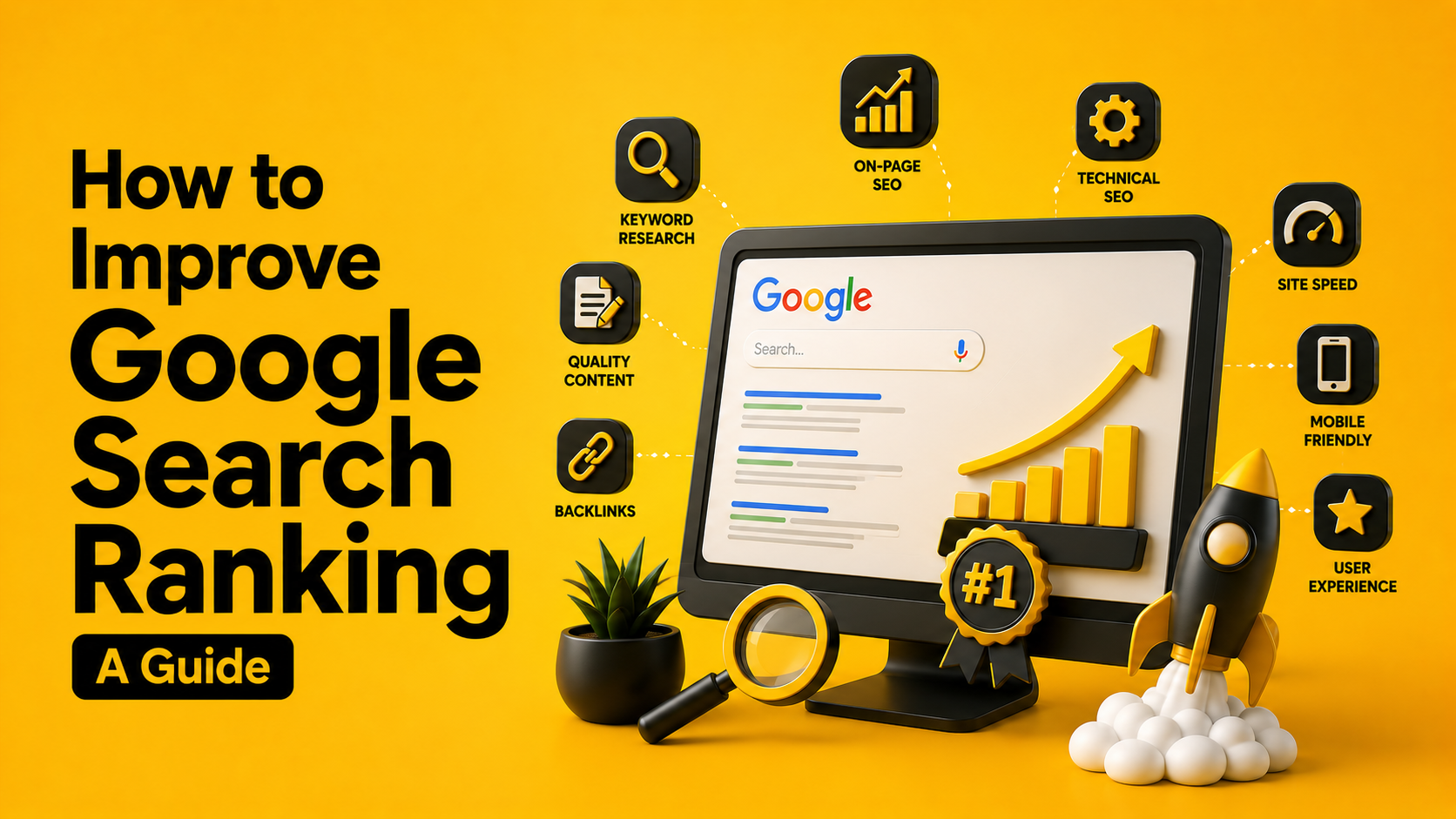

  • How to Improve Google Search Ranking: A Guide

    How to Improve Google Search Ranking: A Guide

    Your blog post is out there, you’ve optimized your blog with some keywords, and you’ve checked Google at least three times already, but for some reason, your competitor from last year is beating your fresh blog post.

    Sounds familiar?

    This is a common scenario for businesses, marketers, and SEO experts alike. Who doesn’t want a better search ranking on Google?

    Well, most companies don’t know that the tactics they’re using for search engine optimization haven’t worked for years. They focus on old SEO practices that have been abandoned by Google years ago.

    Keyword stuffing, buying backlinks for any price, and creating thin content are no longer ways to achieve higher rankings on Google.

    The problem?

    In today’s world, search is all about helping the user solve their problem. This means that you should take into account user experience, search intent, website authority, and content quality.

    The good news?

    If you understand the ranking factors of today’s search algorithms, you will be able to create an effective SEO strategy.

    In this guide, you will learn how to rank on Google, how the Google search algorithm works, and how to increase your rankings without relying on SEO tricks.

    Understanding How Google Search Ranking Works

    Now that we have discussed the problem, let us understand the game first.

    The vision of Google is very clear. We will provide the most relevant and helpful response to any query that comes through the system. 

    For every search made by anyone, Google’s algorithm looks at all the billion pages and decides who gets the top positions.

    How does Google make such decisions? By looking at a variety of signals, such as:

    • Content relevance
    • Search intent alignment
    • Page quality
    • Website authority
    • User experience
    • Backlinks
    • Technical SEO
    • Mobile usability
    • Content freshness

    And these signals together form the core elements of modern-day Google search ranking factors. You can imagine Google to be an extremely honest judge who does not care how hard you have worked on the content you have created.

    Why Search Intent Is More Important Than Keywords

    Companies commit the same mistakes time and again:

    They get caught up in keywords but ignore the intent behind searches.

    If people type in “Best CRM software for small businesses”

    Do they need:

    • What is CRM?
    • History of CRM?
    • Software recommendations?

    Obviously, they just want software solutions.

    If your page provides a 2,000-word guide on what CRM is, Google will not show your site on top because it fails to satisfy search intent.

    Getting familiar with search intent may be one of the quickest ways to raise rankings.

    Normally, there are four main types of search intents:

    Informational

    The users want information.

    Example:

    How to improve Google search ranking

    Commercial

    The users are comparing their choices.

    Example:

    Best SEO agencies in the USA

    Transactional

    The users are prepared to take action.

    Example:

    Hire an SEO company

    Navigational

    The users are looking for a specific website.

    Example:

    Xparro Digital

    When writing your content, think about the following question:

    “What do the users want?”

    The closer your content aligns with that answer, the better your ranking potential.

    15 Proven SEO Strategies for Higher Rankings

    1. Target Long-Tail Keywords Instead of Fighting Giants

    One of the best methods you could apply to increase your rankings would be to use long-tail keywords.

    Long-tail keywords are longer search phrases with less competition.

    Like this:

    Instead of SEO

    Do this:

    • SEO services for law firms
    • SEO agency for SaaS startups
    • How to improve Google search ranking for local businesses

    Why does it work?

    Because:

    • Competition is lower
    • Search intent is clearer
    • Conversion rates are higher
    • Ranking opportunities are greater

    There are many cases when companies spend years fighting impossible keywords, losing many other good keyword chances.

    2. Put Your Primary Keyword in Strategic Locations

    Keyword placement is still important. Not because Google requires any help in comprehending language. It’s just that it increases relevance.

    Primary keywords should appear naturally within:

    Title Tag

    For example, How to Improve Google Search Ranking: 15 SEO Tips

    First 200 Words

    Google focuses on early text. So mention your targeted keyword naturally in the intro.

    H1 Headline

    Primary keywords should feature in your H1 tag.

    Sub-headlines

    Use variations in your article.

    URL

    For example, yourwebsite.com/how-to-improve-google-search-ranking

    Meta Description

    Again, add the keyword naturally and attractively.

    The idea is not to repeat. It is to make your intent clear.

    3. Create Better Content Than Everyone Else

    That should be clear. But not many sites do that. Google does not value content simply because it is there. The ranking algorithm values the best response.

    When writing anything online:

    Identify your top competing pages.

    Create a comparison sheet like:

    Ranking FactorCompetitor ACompetitor BYour Content
    Word Count
    Images
    Videos
    Statistics
    FAQs
    Internal Links
    Case Studies

    Identify the gaps. Then fill them with better content.

    Not necessarily longer content. Not longer. Better. There’s a difference.

    4. Focus on User Experience (Because Google Does)

    Think about how you feel when you click on an article and get:

    • Slow loading pages
    • Annoying popups
    • Tiny fonts
    • Broken layouts

    What would you do?

    Google sees it. User experience influences ranking.

    Optimize:

    Page speed

    People expect fast-loading pages.

    Mobile optimization

    More and more searches take place on smartphones.

    Readability

    Use:

    • Short paragraphs
    • Clear headings
    • White space
    • Bullet points
    • Navigation

    Make it easy for users to find what they need.

    5. Earn High-Quality Backlinks

    Backlinks are still one of the most influential ranking factors of Google search.

    A backlink is just a link from other sites to your site. It is like an endorsement. The better sites that endorse you, the more you can be trusted by Google.

    However, quality is better than quantity.

    A single backlink from an authoritative industry site beats a hundred spam backlinks.

    Build your backlinks by targeting:

    • Industry blogs
    • News websites
    • Resource pages
    • Research reports
    • Guest posting opportunities

    Keep in mind:

    Google favors earned backlinks, not artificial backlinks.

    6. Publish Original Data and Statistics

    Need backlinks naturally? Be the source. Everyone loves to cite unique stats.

    For instance:

    Instead of just writing another SEO trends article, 

    • Survey the industry.
    • Analyze the data.
    • Publish your research.
    • Write benchmarking reports.

    The writers will use your stats and link to them.

    This tactic will bring you:

    • Backlinks
    • Brand authority
    • Organic traffic
    • Industry recognition

    All at once.

    7. Add Videos to Increase Engagement

    This is another SEO strategy that is often overlooked:

    Use video content.

    Videos can help you boost:

    • Dwell time
    • User engagement
    • Content consumption

    In most cases, people who spend more time on your page find the content valuable.

    For instance:

    If you are writing about:

    • SEO auditing
    • Keyword research
    • Google Analytics
    • Building links

    A short video explaining the topic will add value to your content. Besides, some people just like watching rather than reading. Why not accommodate them?

    8. Optimize for Featured Snippets

    Featured snippets are the answer boxes provided by Google. They appear above normal search results. Getting one of those can hugely boost visibility.

    So how do you boost your chances?

    Answer questions directly.

    Use:

    • What is…
    • How to…
    • Why does…
    • Benefits of…

    Keep answers concise and structured. Google loves clarity.

    9. Strengthen Internal Linking

    Internal links assist in understanding the site structure for Google. They also help in spreading authority around the site.

    As an example:

    In case there are:

    • SEO blogs
    • PPC blogs
    • Content marketing blogs

    Connect them effectively.

    This will result in:

    • Better crawling
    • Higher engagement
    • Increased page authority
    • Improved user experience

    All pages need to be connected logically.

    10. Improve Content Freshness

    Google likes to have updated information. However, it does not necessarily mean that new content is always required. Updating the content is sometimes more effective than creating new content.

    Update the following:

    • Statistics
    • Examples
    • Screenshots
    • Industry trends
    • Broken links

    An updated article can easily beat the competitors.

    11. Build Topical Authority

    Google loves expertise. Don’t generate content randomly; form topical hubs.

    For instance:

    Suppose your key topic is SEO:

    Write articles covering:

    • Keyword research
    • Link building
    • Technical SEO
    • Local SEO
    • Content optimization
    • SEO audits

    This shows expertise in Google’s eyes. The outcome? Better rankings from multiple keywords.

    12. Optimize for Core Web Vitals

    Core Web Vitals define page experience.

    Google checks:

    Loading Efficiency

    How fast does the content load?

    Interactivity

    How quickly can the user interact?

    Visual stability

    Do things move around unexpectedly on the page?

    Improvement of the above may lead to better rankings and more conversions since no one likes to click a button that all of a sudden moves three inches to the left.

    13. Use Schema Markup

    Schema Markup will help Google comprehend your content. Imagine giving additional information to it.

    Types of schemas include:

    • FAQ schema
    • Article schema
    • Review schema
    • Organization schema
    • Local business schema

    Using schema markup appropriately will help you get more clicks and traffic.

    14. Optimize Click-Through Rates

    Rankings alone are not enough. Your audience should still click through.

    Boost CTR by improving:

    Title Tags

    From SEO Tips to 15 SEO Tips That Boosted Organic Traffic by 217%.

    Meta Description

    Create curiosity while providing value. A higher CTR will translate into traffic irrespective of your rankings.

    15. Build Trust Signals Across Your Website

    Google is becoming more focused on trust and credibility.

    Include:

    • Author profiles
    • Customer testimonials
    • Case studies
    • Contact information
    • Privacy policies
    • Industry certifications

    The more credible your site is, the better your SEO foundation will be. Trust is not an option anymore. Trust is a ranking factor.

    Common SEO Mistakes That Hurt Rankings

    While trying to understand how to increase my Google ranking, many companies hurt themselves inadvertently.

    Do not:

    Keyword Stuffing

    Google dislikes unnatural content.

    Buying Cheap Backlinks

    Low-quality backlinks could do more damage than good.

    Publishing Thin Content

    Superficial content usually doesn’t work.

    Ignoring Mobile Users

    Mobile-first indexing is the norm now.

    Chasing Algorithm Hacks

    The Google search algorithm favors quality.

    Every Google update favors quality and penalizes those who try to game it.

    How the Google Search Algorithm Has Evolved

    Today’s Google search algorithm is much more complex compared to the one used 10 years ago.

    Now, Google knows about:

    • Context
    • Intent
    • Semantic relationships
    • User behavior
    • Content quality

    It is no longer just keyword matching. The algorithm looks at whether your content can help people.

    That is the reason why companies whose main aim was helping people always beat those whose sole focus was manipulating algorithms.

    A Simple SEO Checklist to Improve Google Rankings

    1. Is your page addressing specific search intent?
    2. Is the main keyword used in the title tag?
    3. Does the keyword appear within the first 200 words?
    4. Is your content more valuable than that of your competitors?
    5. Is your page mobile-friendly?
    6. Do you have internal links relevant to the topic?
    7. Have you used statistics or credible sources?
    8. Is your page fast?
    9. Does it feature trust signals?
    10. Are images and videos included on the page?

    And if the answer is yes to all ten, you’re already better than many websites out there.

    Final Thoughts: Ranking Higher Is About Being More Helpful

    The biggest SEO secret isn’t really a secret. Google wants to rank websites that are beneficial for people.

    That’s all.

    Instead of asking yourself, “How can I trick the algorithm?” You need to be asking yourself, “How can I build the most useful resource on this topic?”

    By combining the power of quality content, optimization according to user intent, user experience optimization, backlinks optimization, and SEO technical tricks, your high ranking becomes the consequence.

    Learning how to improve your Google search ranking is not about learning how to trick Google.

    You just have to make sure that Google recommends your website.

    Why Partner With Xparro for SEO Growth?

    At Xparro, we are not into vanity metrics or quick wins. Instead, we develop search engine optimization campaigns that consider the search intent, user behavior, and financial targets.

    Our specialists can help you:

    • Identify high-converting keyword opportunities
    • Improve on-page SEO performance
    • Build authority through strategic content
    • Strengthen technical SEO foundations
    • Earn quality backlinks
    • Increase organic traffic and qualified leads

    Are you tired of random attempts and wish to start improving your results? You can rely on us to help you create an SEO campaign that will deliver results and be profitable in today’s competitive environment.

    Want to rank higher, get better organic traffic, and earn more money? Let’s talk.

  • Power of Google My Business in Senior Living SEO: Get Your Community Noticed

    Power of Google My Business in Senior Living SEO: Get Your Community Noticed

    Perhaps it is a rash decision, or perhaps a well-thought-out decision. 

    An adult child, worried about their parents, searches phrases like “assisted living near me” or “best senior living community” on a random night. Whatever shows up in the search list will get their attention. So, do you think you will be at the top of their search list? 

    If you’re not showing up, you’re not even part of the consideration set. 

    This is where senior living SEO, to be more specific, Google My Business comes in. Growth follows visibility. So let’s learn an easy way to make your senior living community visible.

    What is Google My Business and Why Does It Matter For Senior Living?

    Google My Business or Google Business Profile is your digital front door. It’s where families see your photos, read your reviews, check your location, and decide whether you’re worth their time.

    And here’s the kicker… Google trusts this data more than your website in many local searches. That means your listing isn’t just supporting your SEO. In local search, it often drives more visibility than your website.

    Families now search, compare, and read reviews before they ever contact a community. And this is where most decisions begin.

    If your community doesn’t appear in that search, you’re excluded from the decision entirely. That’s the harsh truth of senior living SEO.

    How Google My Business Directly Impacts Senior Living SEO

    Let’s talk about the “map pack.” You know, the top 3 listings that show up with a map before organic results. That’s where most decisions are made.

    Throwing money at ads won’t fix the long-term visibility if your community isn’t in the top 3. GMB optimization for senior living is what puts you in that high-intent zone where families are ready to act.

    Google uses three core signals to rank businesses here: relevance, distance, and popularity. You can’t control distance. But relevance and prominence? That’s where strategy comes in.

    Relevance is about how well your profile matches what people are searching for. Popularity is about how trustworthy and authoritative you appear. Reviews, engagement, activity, and citations all play a role.

    This is why most of the assisted living marketing has shifted to local SEO. Because when someone searches, they’re not browsing, they’re deciding.

    The 8-Step GMB Optimization Guide For Senior Living Communities

    Step 1: Claim and verify your profile

    If you haven’t claimed your listing yet, you’re already behind. And if you think “we already have one” without verifying ownership, you’re still behind.

    Verification tells Google you’re legitimate. It gives you control. Without it, you can’t optimize, respond, or even correct wrong information. And wrong information in senior living? That kills trust and authenticity instantly.

    Step 2: Choose the right categories

    This is not the place to get creative. This is the place to get precise.

    Your primary category should be exactly what you are. Secondary categories can expand your reach, but only if they’re relevant.

    You can use words like

    • Assisted Living Facility
    • Retirement Community
    • Nursing Home
    • Memory Care Facility
    • Independent Living Community

    Be precise. Choosing the wrong category confuses Google. And when Google is confused, you don’t rank. Simple as that.

    Step 3: Write a description that works for humans and Google

    Most descriptions sound like they were written by a corporate robot in 2008. That’s a problem.

    You have 750 characters of opportunity in your description, but choosing to write “We provide compassionate care for seniors” is a bit lazy. Instead, you can try a description that, 

    • Naturally includes your primary keyword (senior living SEO) and secondary terms like “assisted living” and your city name.
    • Highlight what genuinely sets your community apart from amenities, staff philosophy, and specialized care.
    • Speak directly to the emotional needs of adult children and seniors when making this decision.
    • End with a soft call to action.

    In short, your description should clearly explain what you offer, who you serve, and what makes you different, while naturally incorporating keywords like senior living SEO and assisted living marketing.

    No keyword stuffing. No fluff. Just clear, compelling language that makes a family think, “This feels right.”

    Step 4: Add high-quality photos

    Photos are not decoration. They are decision triggers.

    Families want to see real spaces, real residents, real moments. Not stock images. Not empty hallways. You can use images like

    • Common areas, dining rooms, activity spaces, and outdoor gardens.
    • Staff interact warmly with residents with their consent.
    • Events, celebrations, and daily life moments.
    • Room options and facility amenities.
    • Entrance and exterior shots for recognition.

    Communities with strong visual content consistently outperform those without. Because trust is visual before it’s verbal.

    Step 5: Gather and respond to reviews strategically

    Public reviews are your permanent and powerful tool for reputation.

    And no, “we’ll respond when we have time” is not a strategy. In senior living marketing, your response speed and tone directly influence trust. 

    Ask for reviews consistently. The truth is, most families give reviews only if it is asked. So, build a simple, comfortable process for requesting reviews and follow-up without annoying them. 

    Respond to every review, positive or negative, with empathy, professionalism, and clarity. This isn’t just customer service. This is SEO.

    Step 6: Use Google posts to stay active and relevant

    Think of Google Posts as your micro-content engine. And they expire every seven days, which means Google is checking to see if you are actively managing your profile.

    Senior living communities can use Posts to:

    • Announce upcoming events like family nights, health talks, and holiday celebrations.
    • Share move-in specials or limited availability notices.
    • Highlight staff spotlights and resident milestones.
    • Promote blog content that supports your broader senior living SEO strategy.

    An active profile tells Google your business is alive and engaged. An inactive one? It fades into the background.

    Consistency improves both rankings and trust.

    Step 7: Build consistent NAP citations

    Name, Address, Phone number. This is often overlooked, but it directly impacts rankings.

    Inconsistent NAP data across directories confuses search engines and damages your rankings. Senior living local SEO depends heavily on consistency.

    Audit your listings. Fix discrepancies. Keep everything aligned.

    Audit your listings on platforms like:

    • Yelp
    • Caring.com and SeniorAdvisor.com (industry-specific directories)
    • Facebook Business Page
    • Healthgrades
    • Local Chamber of Commerce websites
    • Apple Maps and Bing Places

    Step 8: Leverage the Q&A section

    This section is wildly underused, and that’s your opportunity.

    Preload common questions. Answer them clearly. Control the narrative before someone else does.

    Because yes, anyone can ask and answer questions on your listing. If you’re not managing it, you’re leaving your brand in someone else’s hands.

    Get ahead of this by:

    • Populating the Q&A section yourself with the most common questions families ask, like cost, care levels, memory care availability, pet policies, etc.
    • Monitoring for new questions and answering them promptly and accurately.
    • Flagging and reporting any misleading answers from outside parties.
    • This section appears in search results and influences whether a family clicks on your profile over a competitor’s.

    GMB and Your Broader Senior Living Strategy

    Here’s where most communities get it wrong… they treat GMB as a one-time setup. It’s not.

    It requires continuous updates and active management. It connects with your website, your content, your reviews, and your overall digital presence.

    Your website builds depth. Your GMB builds discovery. Together, they create momentum.

    When your listing is optimized, and your website supports it with relevant content, Google sees consistency.

    This is exactly where a senior living marketing agency starts to make a difference. Because alignment across platforms isn’t guesswork, it’s strategy.

    Families evaluate your reviews, website, and photos across multiple communities before deciding to reach out.

    If any one of those touchpoints feels off, you lose them.

    What strong alignment actually looks like:

    • Your GMB categories match your core service pages.
    • Your website content reinforces the same keywords, like senior living SEO, assisted living marketing, etc.
    • Your reviews reflect the same promises you make on your website.
    • Your photos on GMB match the reality of your community.

    What happens when you get this right:

    • Higher map pack rankings.
    • More qualified clicks. Not just traffic but intent.
    • Better conversion rates from search to inquiry.
    • Shorter decision cycles for families.

    This isn’t about “doing SEO.” This is about building a system where every digital touchpoint pushes the same message: you’re the right choice.

    Common GMB Mistakes Senior Living Communities Make

    Let’s call them out.

    Ignoring reviews or responding defensively. Using outdated photos. Stuffing keywords into descriptions. Choosing vague categories. Leaving profiles inactive for months.

    These mistakes directly impact your visibility.

    Another big one? Treating GMB as separate from assisted living marketing. It’s not a side tool. It’s a core channel.

    And then there’s inconsistency, different phone numbers, outdated addresses, and mismatched information across platforms. That’s how you lose both rankings and trust.

    But here’s where it gets even more dangerous: the silent mistakes. The ones that don’t look wrong, but cost you leads every single day.

    The subtle but brutal mistakes:

    • Posting once and then disappearing for 3 months.
    • Uploading 5 photos and calling it “done.”
    • Letting unanswered questions sit in your Q&A.
    • Using generic responses like “Thank you for your feedback” to serious reviews.
    • Not tracking which keywords are actually driving visibility.

    The “we didn’t know this mattered” mistakes:

    • Not adding services or amenities in detail.
    • Ignoring accessibility-related queries that are huge for senior living.
    • Not updating holiday hours or availability.
    • Having multiple duplicate listings floating around.

    Each of these reduces your ability to rank in local search.

    And the worst part? Your competitors don’t have to be great. They just have to be better than you.

    Do You Need A Digital Marketing Agency For This?

    Short answer? Not always. Honest answer? Most of the time, yes.

    Doing GMB optimization for senior living properly isn’t about ticking boxes. It’s about maintaining consistency, analyzing performance, and adapting strategy over time.

    You can set it up yourself. But sustaining it? Scaling it? Competing with communities that are actively optimizing every week? That’s where things get real.

    As a strong senior living marketing agency, Xparro doesn’t just manage your listing. We integrate your local SEO, content strategy, reputation management, and conversion flow into a single system, ensuring every touchpoint works together to attract, engage, and convert the right families.

    That’s the difference between showing up… and actually getting chosen.

    What Xparro actually handles:

    • Ongoing GMB optimization and posting strategy.
    • Review generation systems that are not random but structured flows.
    • Reputation management with response frameworks.
    • Keyword tracking for senior living SEO and local intent.
    • Competitor analysis and find out who’s outranking you and why.

    What you get in return:

    • Predictable visibility. Not “hope we show up.”
    • Higher-quality inquiries. The families that are ready to move, not just browse.
    • Better ROI on your entire assisted living marketing stack.

    And no, this isn’t about outsourcing because you can’t do it.

    It’s about recognizing that guessing is expensive. And in senior living, every missed inquiry is a lost move-in.

    Conclusion

    If your Google My Business profile isn’t working for you, it’s working against you.

    Families are searching every day. Decisions are being made every day. And the communities that show up first and have the strongest presence win.

    The question isn’t whether to optimize your GMB. It’s whether you can afford not to appear when families are actively searching.

    If you’re not showing up in the top results, you’re not being considered, and that directly impacts occupancy.